FluentCRM Pro
Antivirus scan
Powered by ClamAV
✅ Verified clean
This product file has passed our security filters.
Want to run a fresh ClamAV scan right now? Takes a few seconds and shows scanner version, signature DB and live result.
This can take 5 to 30 seconds.
Clean file Threat detected
No threats detected in this file.
- File
- Size
- Scanned
- ClamAV
- Signature database
⚡ Powered by ClamAV
Scan could not be completed
Report product
If you detected an issue (broken file, malware, inappropriate content, etc.) let us know and we'll review it ASAP.
Sign in to report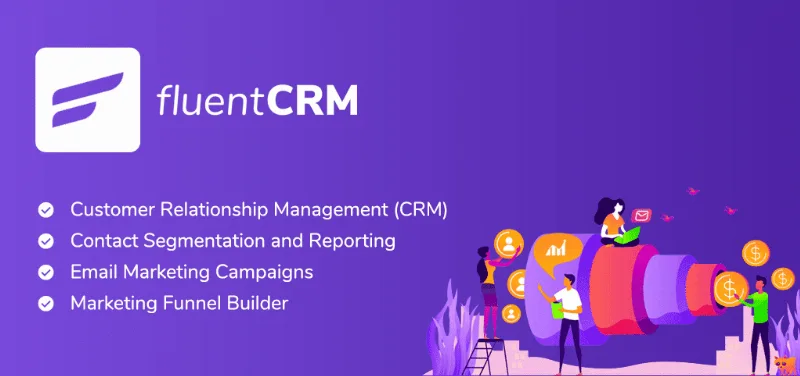
About FluentCRM Pro
If the CRM lives on your server, email is your business too
Anyone moving from a cloud email marketing service to a CRM inside WordPress usually does it for two reasons: keeping the data at home and no longer paying more every time the list grows. FluentCRM answers both. It is one hundred per cent self-hosted, stores contacts and campaigns in its own tables in your database, does not connect to the vendor's servers and sets no limit on emails or contacts.
What almost nobody counts before moving is what gets left behind: the sending reputation that made your emails land in the inbox. When you bring the CRM into your WordPress, that part becomes your responsibility. That is why you need to send with an SMTP service, and Amazon SES is the recommended one, although Mailgun or SendGrid work: FluentCRM decides who gets what and when; the sending service decides whether it arrives.
Campaigns, sequences and the shop connected to the CRM
FluentCRM Pro brings contacts segmented by lists, tags and filters, an email builder based on the block editor, campaigns sent right away, scheduled or recurring, sequences with delays in days or hours, double opt-in and open and click reports. It also brings the integrations, which is where the CRM starts to know what happens on your site:
- Shops: WooCommerce, SureCart, Easy Digital Downloads and AffiliateWP triggers. In WooCommerce there are six, from new order to refund and abandoned cart, and the purchase one can fire only on the first or from the second onwards.
- Courses and memberships: LearnDash, LifterLMS, TutorLMS, LearnPress, MemberPress and Paid Memberships Pro, among others.
- Forms and connectors: Fluent Forms, Elementor Pro forms, webhooks, Zapier and Pabbly Connect.
How to look after delivery from day one
Connect a sending service before the first campaign. FluentCRM relies on the WordPress mail system, which is extended with SMTP plugins. Sending campaigns from the same hosting that serves the site is an easy way to end up in spam.
Set up bounces. FluentCRM handles them, including with Amazon SES. Continuing to send to addresses that do not exist is one of the things that hurts reputation most. And start with low volume: a domain that suddenly sends thousands of emails looks compromised.
Delivery, the shop and consent are still yours
It does not guarantee that email arrives. That depends on the SMTP service you connect, and with no cloud nobody watches your sending reputation for you.
Nor does it replace the shop or the academy. Integrations only work if that plugin is installed and active: FluentCRM listens to what happens in it and triggers emails, but it does not manage orders or enrolments.
And it does not provide consent. In the European Union, the ePrivacy Directive requires prior consent to send commercial email to individuals; the exception is your customers, for similar products and with unsubscribing available in every email. Double opt-in helps prove that someone wanted to subscribe; a purchased list is not fixed by any checkbox.
What FluentCRM needs and the first automation
It needs WordPress 6.0 or higher and PHP 7.4 or higher, plus an SMTP service to send.
- Upload and install the plugin from Plugins, Add New.
- Connect sending with an SMTP plugin and a service such as Amazon SES.
- Import your contacts and split them by lists and tags from the start.
- Build a single automation, for example the first purchase one, and measure before adding more.
Alternatives in the catalogue
If you mainly want to send newsletters, MailPoet Premium and Mailster are newsletter plugins for WordPress. For automations around the shop, FunnelKit Automations Pro. And for the piece FluentCRM leaves in your hands, WP Mail SMTP Pro makes WordPress email go out through an SMTP service.
Questions about FluentCRM Pro
Is there a limit on contacts or emails?
No. The real limit is set by the sending service.
Where is the data stored?
In its own tables inside your WordPress database, without going through the vendor's servers.
Do I need Pro to connect WooCommerce?
Yes. WooCommerce triggers require FluentCRM Pro.
Which sending service do they recommend?
Amazon SES, although any SMTP works, such as Mailgun or SendGrid.
Can I limit a sequence to business hours?
Yes, and to weekdays as well.
Does it work for an online academy?
Yes. Pro integrates with LearnDash, LifterLMS, TutorLMS and LearnPress.
Topics
Version history
-
v
3.3.1 Current 31 Oct 2026
-
v
3.3.0 30 Oct 2026
-
v
3.2.6 14 Oct 2026
-
v
3.2.5 1 Oct 2026
-
v
3.2.0 5 Sep 2026
-
v
3.1.13 25 Aug 2026
-
v
2.9.86 21 Nov 2025
Customer reviews
Sign in to leave a review. Only people who have the product can review it.
No reviews for this product yet.
Frequently asked questions
-
GPL (General Public License) is the license under which WordPress and most premium plugins/themes are distributed. It grants you the right to use, modify and redistribute the software in as many projects as you want, with no domain restrictions.
-
Yes. With membership you get automatic updates via our GPLClub Updater plugin (installed on your WP, detects new versions and applies them). With individual purchase, you get one year of manual updates from your account.
-
Depends on the plan. Monthly: 3 domains. Semi-annual: 7. Annual and Lifetime: 15. Individual purchase: 1 domain.
-
GPLClub offers its own support for installation, configuration and compatibility. For direct support from the original author (feature requests, product-specific bugs), a license purchased from the author is required.