GetPaid For Ninja Forms
Antivirus scan
Powered by ClamAV
✅ Verified clean
This product file has passed our security filters.
Want to run a fresh ClamAV scan right now? Takes a few seconds and shows scanner version, signature DB and live result.
This can take 5 to 30 seconds.
Clean file Threat detected
No threats detected in this file.
- File
- Size
- Scanned
- ClamAV
- Signature database
⚡ Powered by ClamAV
Scan could not be completed
Report product
If you detected an issue (broken file, malware, inappropriate content, etc.) let us know and we'll review it ASAP.
Sign in to report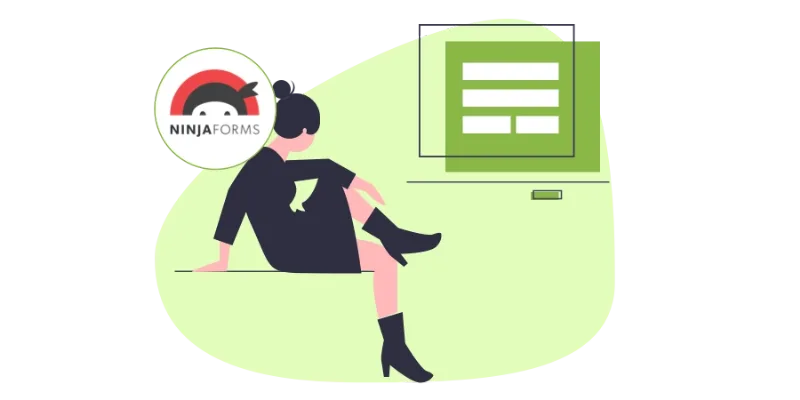
About GetPaid For Ninja Forms
The document type is decided when you build the form
You sell custom work and also fixed-price services. Both start the same way, with someone filling in a form, but one ends in a quote that needs review and the other in an invoice that gets paid.
The document type is chosen in the settings of the form's action, so anyone who sells both ways must decide before publishing which form handles each case.
GetPaid for Ninja Forms adds to Ninja Forms an action that turns each submission into a GetPaid invoice or quote. In that action's settings you decide which of the two is created. Everything that goes through that action will be of the type you selected.
What it does with each submission
- Invoice or quote: the Create Invoice or Quote action generates the document from the submitted data.
- Items later: the administrator can add items to the document afterwards and send it to the customer for payment.
- Automatic customer: if the submitted email is not linked to any customer or user, a new customer is created.
- Starting template: there is a form template called Create Invoice/Quote that already includes the fields needed for mapping.
The only required field is the customer email. The rest are optional and are assigned in the action's mapping: name, first name, last name, website, business name, address, city, country, zip code, phone, description and items.
A job request that ends in a quote
This combination is ours and should be tested before publishing it. Picture a request form with name, company, email and a description of what the customer needs, configured to create quotes. Each request leaves a quote in GetPaid, with no price until you add the items. When you add them, you send the document to the customer.
Check with a test submission that each form field lands where you expect and which customer the document is tied to.
Plugins it needs and limits
This extension does not charge on its own: it creates the document, and the rest of the process, such as payment, is handled by GetPaid. It needs three plugins installed and active: GetPaid, its quotes add-on (GetPaid Quote Add-on) and Ninja Forms.
Since any unknown email creates a customer, a public form without a spam filter can fill your customer list with fake entries.
Setting up the form and testing it
To get it running:
- Install and activate GetPaid, the quotes add-on, Ninja Forms and this extension.
- Create a new Ninja Forms form from the Create Invoice/Quote template.
- In the Emails and Actions tab, enable the Create Invoice or Quote action.
- Click the action's settings icon, map each field and choose whether an invoice or a quote is created.
- Publish the form and make a test submission with your own email.
If you want the same link with another form
GetPaid has the same idea for other form builders: GetPaid for Contact Form 7 and GetPaid for Gravity Forms. For other ways of linking Ninja Forms with a payment, look at Ninja Forms Stripe or Ninja Forms PayPal.
Answers about GetPaid for Ninja Forms
What is the minimum data I need?
The customer email. It is the only required field.
Can I add items to the document after the submission?
Yes. The administrator can add them later and send the document to the customer for payment.
What happens if the email already belongs to a customer?
A new customer is created only when the email is not linked to any customer or user.
Can I use one form for both invoices and quotes?
The action is configured by choosing one of the two types. If you need both, try one form for each.
Topics
Version history
-
v
2.0.0 Current 12 May 2024
Customer reviews
Sign in to leave a review. Only people who have the product can review it.
No reviews for this product yet.
Frequently asked questions
-
GPL (General Public License) is the license under which WordPress and most premium plugins/themes are distributed. It grants you the right to use, modify and redistribute the software in as many projects as you want, with no domain restrictions.
-
Yes. With membership you get automatic updates via our GPLClub Updater plugin (installed on your WP, detects new versions and applies them). With individual purchase, you get one year of manual updates from your account.
-
Depends on the plan. Monthly: 3 domains. Semi-annual: 7. Annual and Lifetime: 15. Individual purchase: 1 domain.
-
GPLClub offers its own support for installation, configuration and compatibility. For direct support from the original author (feature requests, product-specific bugs), a license purchased from the author is required.