HT Builder Pro – Theme Builder for Elementor
Antivirus scan
Powered by ClamAV
✅ Verified clean
This product file has passed our security filters.
Want to run a fresh ClamAV scan right now? Takes a few seconds and shows scanner version, signature DB and live result.
This can take 5 to 30 seconds.
Clean file Threat detected
No threats detected in this file.
- File
- Size
- Scanned
- ClamAV
- Signature database
⚡ Powered by ClamAV
Scan could not be completed
Report product
If you detected an issue (broken file, malware, inappropriate content, etc.) let us know and we'll review it ASAP.
Sign in to report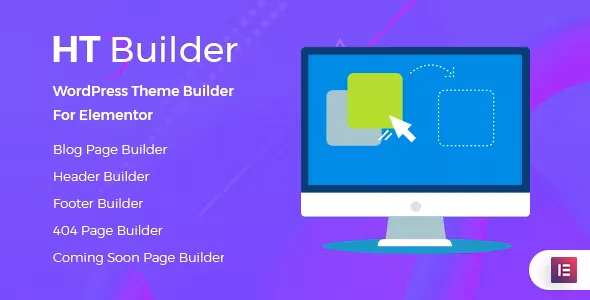
About HT Builder Pro – Theme Builder for Elementor
Your blog speaks to different audiences through one category template
A blog that mixes tutorials, news and reviews brings together readers looking for different things. If all its categories come from the same archive template, all three look alike: same grid, same order and same header.
Each category is the front page for part of your audience, and it can have a design of its own. Tutorials may call for a text-heavy list, and reviews for cards with a large image. As long as there is a single template, that decision does not exist.
HT Builder Pro, by HasThemes, is a drag and drop theme builder for Elementor. It brings the blog, header and footer into the editor you already use, and lets you assign an individual design per category and per tag.
The templates and elements in HT Builder Pro
- Blog and single post: design for the blog page and for each article.
- Header and footer: for the whole site or for one specific page.
- Archives: individual design per category and per tag.
- Utility pages: blog search results, 404 error and coming soon.
- 20 Elementor elements, which can be turned off one by one.
- Template library with blog and post detail designs, plus import from JSON.
- Options panel to turn each template type on or off.
Compared with the free version of HT Builder, which has 14 elements, Pro goes up to 20 and adds search, the 404 error, the coming soon page and the per-category and per-tag designs.
A separate archive for each category or tag
The design is created like any other template, in Elementor. What sets it apart is where it gets assigned: when you edit the category in WordPress, you choose which template its archive uses. That way one section can change its look without touching the rest of the blog.
It makes sense to start with the categories that have enough content to justify a design of their own. Every new template is one more piece to review when you change the brand or colors of the site.
Headers and footers follow the same logic on two levels. With the builder turned on they apply to the whole site, and from the Elementor settings of a page you can pick another template for that page alone.
Where this builder stops
Its territory is site structure and the blog. Its features do not include templates for WooCommerce product, cart or checkout pages, or display conditions by device or user role.
The 404 page changes what someone sees after following a broken link, and the link stays broken: its features do not include redirects.
Installing HT Builder Pro and building the first template
You need WordPress with Elementor installed. HT Builder Pro is compatible with Elementor and Elementor Pro. If the server is tight, these are the recommended PHP values, because low limits can cause white screens and JSON import failures: memory_limit 256M, max_execution_time 300, max_input_time 300, upload_max_filesize 64M and post_max_size 64M.
- Install Elementor, upload the HT Builder Pro ZIP from Plugins and activate it.
- Open Templates in the dashboard, add a new one and edit it in Elementor.
- In the options panel, Template Builder tab, turn on the template type you are going to use.
- For a category, go to Posts, then Categories, click Edit and select the template.
- For the header or footer, turn on its builder or choose the template in the Elementor settings of the page.
Theme builders with other rules
JetThemeCore also works with Elementor and adds conditions by device and user role, plus templates for the WooCommerce cart, checkout and account pages. It fits better if you need those rules or run a shop.
Elementor Pro includes its own theme builder for header, footer, posts, archives and blog, alongside the rest of its features.
Details worth clearing up about HT Builder Pro
Can I use a different header on a single page?
Yes. Open the page in Elementor, go to its settings and select the header or footer template.
What does it add over the free version?
Six more elements, the search, 404 and coming soon pages, and the individual designs per category and per tag.
Does it work for the pages of a shop?
Its templates do not include any for WooCommerce. For that case, look at JetThemeCore.
Version history
-
v
1.0.10 Current 28 Aug 2026
-
v
1.0.7 8 May 2024
Customer reviews
Sign in to leave a review. Only people who have the product can review it.
No reviews for this product yet.
Frequently asked questions
-
GPL (General Public License) is the license under which WordPress and most premium plugins/themes are distributed. It grants you the right to use, modify and redistribute the software in as many projects as you want, with no domain restrictions.
-
Yes. With membership you get automatic updates via our GPLClub Updater plugin (installed on your WP, detects new versions and applies them). With individual purchase, you get one year of manual updates from your account.
-
Depends on the plan. Monthly: 3 domains. Semi-annual: 7. Annual and Lifetime: 15. Individual purchase: 1 domain.
-
GPLClub offers its own support for installation, configuration and compatibility. For direct support from the original author (feature requests, product-specific bugs), a license purchased from the author is required.