MainWP Virusdie Extension
Antivirus scan
Powered by ClamAV
✅ Verified clean
This product file has passed our security filters.
Want to run a fresh ClamAV scan right now? Takes a few seconds and shows scanner version, signature DB and live result.
This can take 5 to 30 seconds.
Clean file Threat detected
No threats detected in this file.
- File
- Size
- Scanned
- ClamAV
- Signature database
⚡ Powered by ClamAV
Scan could not be completed
Report product
If you detected an issue (broken file, malware, inappropriate content, etc.) let us know and we'll review it ASAP.
Sign in to report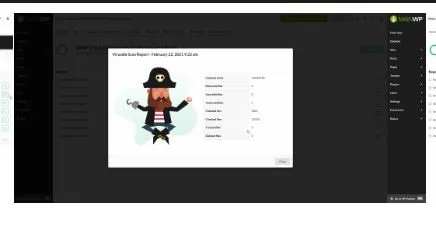
About MainWP Virusdie Extension
The sync file stays on each site even after you remove it from the dashboard
Connecting your clients' sites to a scanner looks like a dashboard setting, but it leaves something installed on every one of them.
The Virusdie connection places a sync file in the WordPress root of each child site, and removing the site from the dashboard does not delete it. Whoever manages many sites must, when dropping one, go in over (S)FTP and delete it by hand.
Virusdie Extension integrates the external Virusdie service into MainWP, and that service is what runs the virus and vulnerability scans. Your sites and their results appear under Add-ons > Security > Virusdie, and sites are added in bulk or one at a time.
What it offers from the MainWP dashboard
- Automatic sync file: MainWP Child downloads it from the Dashboard and saves it in the site's root, with no FTP.
- Weekly scans: with the free account, for unlimited sites, with email notifications.
- On-demand scans: with a paid plan, from the Scan Site action, a WP-CLI command or a REST GET request.
- Firewall and AutoCleanup: with a paid plan, turned on or off from each site's row.
- Reports: results go into Pro Reports reports with shortcodes such as [virusdie.scan.count].
- Database health: an optional check, with the tables under Info > Server, in recent Dashboard versions.
What the free account covers and what needs a paid plan
With the free account, all your sites get the weekly scan and the email notification. The functions that act on demand or on the site, such as Scan Site, the firewall and AutoCleanup, require a paid plan.
One way to decide, which you should test with your portfolio: start with the weekly scan and move the account to a paid plan when you need to check a site on the spot or turn on the firewall. It is your own combination, not a vendor recommendation.
Conditions and errors worth knowing
- New account: the integration needs MainWP Pro and a Virusdie account created from its own form. An account created outside the integration may have too few API permissions; check with Virusdie support.
- Connection both ways: each child site must reach the Dashboard over HTTPS and the Dashboard must reach each site.
- Plan status: it is checked before each scan and refreshed when you open the Virusdie page, so after upgrading the plan, Scan Site appears when you reload it.
- File error: if "Unique sync file could not be uploaded" appears, sign out on the Settings page, sign up again with the same email, sign in with the new one-time password and add the sites again. Unauthorized or Forbidden messages can come from password protection, a security plugin or a firewall on the Dashboard.
- Data that leaves: the integration sends Virusdie your sign-up email and each child site's domain.
Sign-up and first scans
- Open Add-ons > Security > Virusdie > Settings.
- In the free account sign-up, enter your email and submit it.
- In the sign-in section, enter the one-time password that arrives by email.
- Add the child sites from Add-ons > Security > Virusdie.
- For on-demand scans, confirm you have a paid plan and use Scan Site.
MainWP security extensions with another scanning engine
If you prefer another scanning engine, MainWP has extensions for Sucuri, Wordfence and Jetpack Scan. To check for known vulnerabilities, there is Vulnerability Checker.
Answers about Virusdie Extension
What happens to the file when I remove a site?
It stays on the site. You have to delete it by hand over (S)FTP.
Do I need to pay to scan?
Not for the weekly scan, which covers unlimited sites with the free account. On-demand scans require a paid plan.
Can I use my earlier Virusdie account?
The integration asks for an account created from its form. An older account may lack an API permission.
Can it be used from the command line?
Yes. On-demand scans can also be started with a WP-CLI command or a REST GET request.
Topics
Version history
-
v
5.2 Current 31 Oct 2026
-
v
4.0.1 17 May 2024
Customer reviews
Sign in to leave a review. Only people who have the product can review it.
No reviews for this product yet.
Frequently asked questions
-
GPL (General Public License) is the license under which WordPress and most premium plugins/themes are distributed. It grants you the right to use, modify and redistribute the software in as many projects as you want, with no domain restrictions.
-
Yes. With membership you get automatic updates via our GPLClub Updater plugin (installed on your WP, detects new versions and applies them). With individual purchase, you get one year of manual updates from your account.
-
Depends on the plan. Monthly: 3 domains. Semi-annual: 7. Annual and Lifetime: 15. Individual purchase: 1 domain.
-
GPLClub offers its own support for installation, configuration and compatibility. For direct support from the original author (feature requests, product-specific bugs), a license purchased from the author is required.