User Registration WooCommerce Integration Addon
Antivirus scan
Powered by ClamAV
✅ Verified clean
This product file has passed our security filters.
Want to run a fresh ClamAV scan right now? Takes a few seconds and shows scanner version, signature DB and live result.
This can take 5 to 30 seconds.
Clean file Threat detected
No threats detected in this file.
- File
- Size
- Scanned
- ClamAV
- Signature database
⚡ Powered by ClamAV
Scan could not be completed
Report product
If you detected an issue (broken file, malware, inappropriate content, etc.) let us know and we'll review it ASAP.
Sign in to report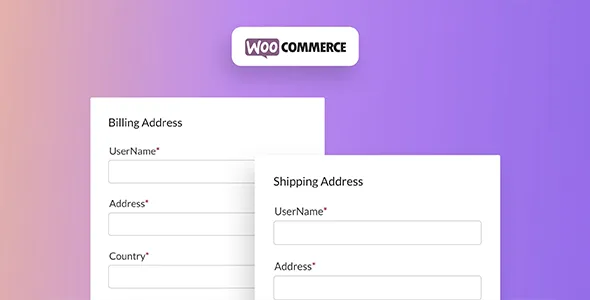
About User Registration WooCommerce Integration Addon
WooCommerce registers customers with a bare-bones form, and then you have to ask for the address, phone number or company details at checkout, just when customers least feel like filling anything in. This addon connects the User Registration form to WooCommerce accounts so that data is requested only once and at the right moment.
Anyone selling by order needs to know the customer before the purchase
In a store, every checkout field is a small leak in sales, yet you still need data the basic form does not collect: a company tax ID, an industry, a document, a question about how the product will be used. The way out is to split the load: ask for the structural data at sign-up and keep checkout for whatever depends on the purchase. This addon is built for that split, whether you sell to individuals, to professionals or to repeat customers.
Billing and shipping at sign-up, and only the fields you choose at checkout
The features that weigh most in the decision:
- Billing and shipping fields inside the registration form: customers leave their addresses when creating the account and do not have to repeat them when buying.
- Checkout sync: you choose which registration fields appear at payment and which do not. A Gutenberg block called Sync Checkout Fields helps you arrange them, and whatever the customer types at checkout is saved to their profile.
- Account details sync: custom fields also appear in WooCommerce's account details tab.
- Per-product fields: you can map registration fields to specific products to collect data specific to each one.
- Your own login form: it replaces WooCommerce's default login and registration form with yours, in your own style.
- A customer dashboard your way: it replaces the My Account page with a dashboard where you decide what shows. You can disable or group the default sections, add new tabs, reorder them and choose a vertical or horizontal menu.
Be clear that this is an addon: it does not work on its own. It needs WooCommerce and the base User Registration plugin, which provides the drag-and-drop form builder and its 60+ field types. Paid memberships, content restriction and payment gateways belong to the base plugin or to other addons, not to this one. And conditional logic or file uploads at registration are separate addons that you must activate separately if you need them.
Frequently asked questions before installing
Does it work without the User Registration plugin?
No. It is an addon for the base plugin and is activated from its addons section.
Can I ask for the shipping address at sign-up?
Yes, WooCommerce billing and shipping fields can be added to the registration form.
Do I have to show every field at checkout?
No. You choose which fields from the registration form are synced to checkout.
Does it replace my current My Account page?
It can: the WooCommerce page is replaced by a configurable dashboard. There is a setting designed to avoid conflicts with that page.
Is it good for selling memberships?
Memberships come from the base plugin, not from this addon. Here, registration is only integrated with WooCommerce accounts and orders.
A form that mixes registration and checkout fields is tested as a new customer
The usual route is to activate the addon from User Registration, build the form with the fields you need and set it to replace WooCommerce's own, enabling checkout sync. Then save and walk through the process yourself with a test user: sign-up, purchase and a review of the account tab. Pay particular attention to making sure no data is duplicated between registration and payment, and that the new dashboard does not clash with a My Account page you may already have published.
Topics
Version history
-
v
1.6.10 Current 10 Jul 2026
-
v
1.6.8 31 Mar 2026
Customer reviews
Sign in to leave a review. Only people who have the product can review it.
No reviews for this product yet.
Frequently asked questions
-
GPL (General Public License) is the license under which WordPress and most premium plugins/themes are distributed. It grants you the right to use, modify and redistribute the software in as many projects as you want, with no domain restrictions.
-
Yes. With membership you get automatic updates via our GPLClub Updater plugin (installed on your WP, detects new versions and applies them). With individual purchase, you get one year of manual updates from your account.
-
Depends on the plan. Monthly: 3 domains. Semi-annual: 7. Annual and Lifetime: 15. Individual purchase: 1 domain.
-
GPLClub offers its own support for installation, configuration and compatibility. For direct support from the original author (feature requests, product-specific bugs), a license purchased from the author is required.