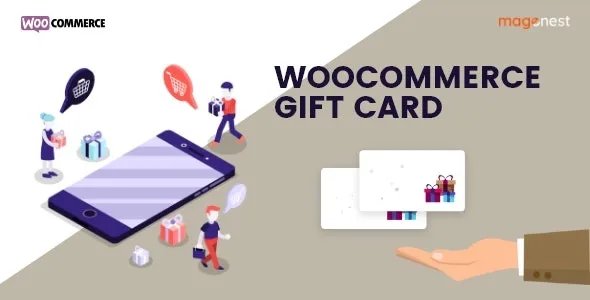
WooCommerce Gift Card
Antivirus scan
Powered by ClamAV
✅ Verified clean
This product file has passed our security filters.
Want to run a fresh ClamAV scan right now? Takes a few seconds and shows scanner version, signature DB and live result.
This can take 5 to 30 seconds.
Clean file Threat detected
No threats detected in this file.
- File
- Size
- Scanned
- ClamAV
- Signature database
⚡ Powered by ClamAV
Scan could not be completed
Report product
If you detected an issue (broken file, malware, inappropriate content, etc.) let us know and we'll review it ASAP.
Sign in to reportNewer version out, or a problem?
About WooCommerce Gift Card
For the shop that already sells and wants gifts ready to print or send, not a loyalty system
A shop that doesn't sell gift cards loses the person who wants to give a present but doesn't know what to pick. That buyer ends up with a competitor or buys nothing at all. WooCommerce Gift Card turns the card into one more catalog product, with its own price, design and email delivery.
It suits you if you already run a WooCommerce store and want a customer to buy an amount and send it to someone else, who will redeem it later. It is especially useful if your business gets orders on key dates such as birthdays, weddings, Valentine's Day, Mother's Day or Christmas.
It is not for you if you are looking for a points program, loyalty coupons or store credit for returns: the focus here is selling gift cards and redeeming them, not managing points.
Three ways to set the amount in WooCommerce Gift Card
The plugin offers three price schemes for each gift card product:
- Fixed price: a card with a set value, for example the classic card of one specific amount.
- Selected price: the buyer chooses from the amounts you have defined.
- Custom price: the buyer types in the amount they want to give.
For most shops it makes sense to start with selectable amounts: they guide the customer without limiting them as much as a fixed price, and they avoid odd figures that complicate your accounting. A custom price fits better if your products range across very different amounts.
PDF and email design: templates, background and QR code
The card reaches the recipient by email and can be attached as a PDF. You can customize both with a drag and drop editor, upload a background image, change the language, font and text size, and insert card data using shortcodes (for example the product name).
Each PDF carries a QR code for security reasons. You can also create several PDF and email templates, assign them to different products and let the customer choose the one they prefer at purchase. If only one template is assigned, the plugin picks it automatically.
Scheduled delivery, balance and customer tracking
The buyer can schedule delivery, and you decide product by product whether that field appears or not. The person who receives the card can redeem it, and the customer can review the history of their cards in a section of My Account.
From the admin you can create, edit and delete cards, see their status with a history log, filter those created by the administrator or by customers, resend the email and set an expiry date. You can also exclude specific products from the card discount or, conversely, include only some.
If you already have codes from elsewhere: CSV import
You can import cards from a CSV file in the admin, which helps if you already sold cards through another channel and want to bring in the existing codes. The plugin includes a sample CSV so you can see the expected format.
Before launching sales, place a complete test order: purchase, receiving the email or PDF, redeeming at checkout and checking the remaining balance. Also check in the demo how the PDF looks with your logo and your typography.
Frequently asked questions
Can the customer give a card to someone else by email?
Yes. The buyer enters the recipient and the card is sent by email, with the PDF attached if you have set it up. It can also be scheduled for a specific date.
Can I offer several designs?
Yes. You can create several email and PDF templates, assign them to different products and let the customer choose.
Can gift cards have an expiry date?
Yes, the plugin lets you set an expiry time for the card.
Does it work for physical cards?
It is designed for digital cards by email or PDF, with a QR code in the PDF. If you need physical cards you could print the PDF, but the plugin does not handle their production or shipping.
Can I import existing cards?
Yes, from a CSV file in the admin.
Topics
Version history
-
v
4.4 Current 17 May 2024
Customer reviews
Sign in to leave a review. Only people who have the product can review it.
No reviews for this product yet.
Frequently asked questions
-
GPL (General Public License) is the license under which WordPress and most premium plugins/themes are distributed. It grants you the right to use, modify and redistribute the software in as many projects as you want, with no domain restrictions.
-
Yes. With membership you get automatic updates via our GPLClub Updater plugin (installed on your WP, detects new versions and applies them). With individual purchase, you get one year of manual updates from your account.
-
Depends on the plan. Monthly: 3 domains. Semi-annual: 7. Annual and Lifetime: 15. Individual purchase: 1 domain.
-
GPLClub offers its own support for installation, configuration and compatibility. For direct support from the original author (feature requests, product-specific bugs), a license purchased from the author is required.