WooCommerce License Manager
Antivirus scan
Powered by ClamAV
✅ Verified clean
This product file has passed our security filters.
Want to run a fresh ClamAV scan right now? Takes a few seconds and shows scanner version, signature DB and live result.
This can take 5 to 30 seconds.
Clean file Threat detected
No threats detected in this file.
- File
- Size
- Scanned
- ClamAV
- Signature database
⚡ Powered by ClamAV
Scan could not be completed
Report product
If you detected an issue (broken file, malware, inappropriate content, etc.) let us know and we'll review it ASAP.
Sign in to report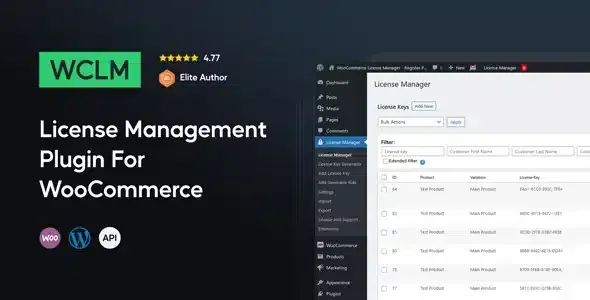
About WooCommerce License Manager
Selling activation keys often ends up as a spreadsheet, emails sent by hand at eleven at night and a customer writing in because their code never arrived. When every sale needs a different key, you become the bottleneck.
Key stock runs out without anyone noticing
With a physical product, an empty shelf is obvious. With digital keys, stock is a hidden list in a database, and the first sign that it ran out is usually a complaint. WooCommerce License Manager treats each key as a unit of inventory: it assigns it to a product and marks it as sold or available.
WooCommerce License Manager by type of store
If you sell software or add-ons
You can upload software packages and files to products and variations, set the version and let anyone with a valid license download updates from their order history. It also includes a REST API to activate, deactivate and validate licenses, check activation limits and see whether a license is valid, invalid or expired. It is useful if your program, plugin or application has to ask your store whether the license is still in force.
If you sell game keys, gift cards or top-ups
Keys are loaded from TXT or CSV files, or by hand one at a time. Each key supports an expiration date or a number of days of validity, both optional. The field accepts multiple lines and HTML, so you can show the key as a clickable link in the email.
If your product is a scratch card or a QR code, you can deliver images instead of text (loaded via ZIP).
If you offer several editions of the same product
With variable products you assign a different set of keys to each variation: Standard, Pro or Enterprise, keys by region or downloads by platform, all from a single product page.
If you don't want to load keys by hand
The generator creates keys with a configurable prefix, suffix, chunk length and number of chunks, and can generate them in bulk. That way delivery is automated from purchase to key without you having to import lists.
How the key reaches the customer
- By email.
- On the thank-you page after purchase.
- In the order history of their account.
- Through the REST API.
If you prefer the customer to see the key only on the website and not by email, you can set that up too. If something fails, you resend the email from the order, and you can replace or delete the assigned keys, or assign new ones to an existing order. Several keys can be delivered per purchase and, optionally, the same key can be delivered more than once.
Encryption and copies between stores
Keys are encrypted before being saved in the database, using two secret keys that you define. Write them down somewhere safe: they are part of how the inventory is protected.
The plugin also supports backorders when key stock runs out temporarily.
Your product has to be a key or a file
It is a WooCommerce plugin: it does not work without it. It is designed for products delivered as a code, an image or a downloadable package. If what you sell is a service with its own account and access managed on another platform, it does not replace that system. And if you use the licensing API in your own software, you will have to program that connection yourself.
Frequently asked questions
Can I import thousands of keys at once?
Yes, from TXT or CSV files. For image keys, via ZIP.
Can I give different keys per variation?
Yes, each variation has its own set.
What happens if a customer says they did not receive the key?
You resend the email from the order page or tell them to check their order history.
Does it work for software with limited activations?
Yes, the API lets you activate, deactivate, validate and check activation limits.
Topics
Version history
-
v
7.3.1 Current 5 Sep 2026
-
v
7.2.0 10 Feb 2026
Customer reviews
Sign in to leave a review. Only people who have the product can review it.
No reviews for this product yet.
Frequently asked questions
-
GPL (General Public License) is the license under which WordPress and most premium plugins/themes are distributed. It grants you the right to use, modify and redistribute the software in as many projects as you want, with no domain restrictions.
-
Yes. With membership you get automatic updates via our GPLClub Updater plugin (installed on your WP, detects new versions and applies them). With individual purchase, you get one year of manual updates from your account.
-
Depends on the plan. Monthly: 3 domains. Semi-annual: 7. Annual and Lifetime: 15. Individual purchase: 1 domain.
-
GPLClub offers its own support for installation, configuration and compatibility. For direct support from the original author (feature requests, product-specific bugs), a license purchased from the author is required.