WooCommerce Point of Sale
Antivirus scan
Powered by ClamAV
✅ Verified clean
This product file has passed our security filters.
Want to run a fresh ClamAV scan right now? Takes a few seconds and shows scanner version, signature DB and live result.
This can take 5 to 30 seconds.
Clean file Threat detected
No threats detected in this file.
- File
- Size
- Scanned
- ClamAV
- Signature database
⚡ Powered by ClamAV
Scan could not be completed
Report product
If you detected an issue (broken file, malware, inappropriate content, etc.) let us know and we'll review it ASAP.
Sign in to report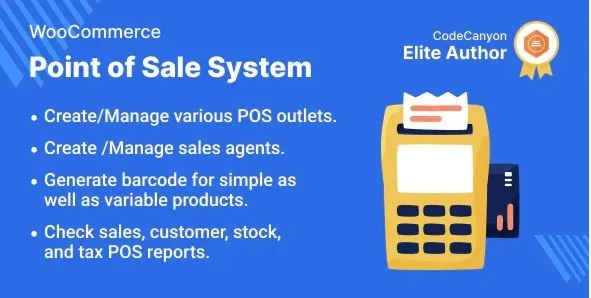
About WooCommerce Point of Sale
One stock for your website and your counter with WooCommerce Point of Sale
Anyone with both a physical store and an online shop tends to end up with two inventories: the website's and the till's. The result is familiar: you sell online something a customer already took home from the shop, or at the end of the month the cash figures don't match the orders.
WooCommerce Point of Sale adds a checkout screen that works on top of your own WooCommerce store. Products, stock, customers and orders stay connected, so a counter sale is just another order. It also keeps working if the internet goes down: the cashier keeps selling and the activity syncs with WooCommerce when the connection returns. It is compatible with HPOS and multisite.
Fast checkout: search, split payments and held carts
The cashier builds the cart by search, SKU or barcode, adjusts quantities, applies the discounts or coupons the store allows, picks the customer and takes payment. What you notice most at the counter:
- Split payment: one bill is divided across several configured payment methods.
- Discounts and fees: fixed or percentage, and WooCommerce coupons respect their restrictions at the counter too.
- Held cart: leave one half-finished to serve another customer and resume it later.
- Custom product: lets you sell something that doesn't exist on the website.
- Weight-based pricing and price editing in the cart, where the store allows it.
- Own order prefix: counter orders are easy to tell apart from online ones at a glance.
For variable products there are three views (list, table or cards): a fashion store with many sizes and colors doesn't need the same one as a grocery counter with fast-moving items. There are also attribute, on-sale and featured filters, plus light and dark mode.
Multiple outlets and cash shifts in WooCommerce Point of Sale
You create an outlet in the admin for each physical location and assign one or more sales agents. Each outlet sells the products and stock you give it, and everything is managed from the same WooCommerce store. It helps if you have more than one point of sale.
Cash control is where this kind of business often loses money without noticing: small differences nobody can trace to anyone. Here each cashier opens and closes their drawer with notes and credit or debit entries, and the plugin generates sales reports and Z-Reports, which can be printed from both the admin and the POS. Invoice printing can be turned on or off, with an auto-print option.
Decide whether your card terminal and your way of selling fit this POS
The POS runs in the browser and on top of WooCommerce: if your store doesn't use WooCommerce, it's not for you. It offers PWA support, but that doesn't turn it into a POS with its own hardware. Check in the demo that your checkout flow looks like the one you need.
Does it work with my card terminal?
Don't assume a card terminal can talk to the POS directly. The plugin lets you record card payments with the configured methods, but integrations with specific terminals may require a compatible connector or a separate extension.
Can I keep selling without internet?
Yes. Sales are recorded offline and synced with WooCommerce when the connection returns.
Does it work for more than one store?
Yes: one outlet per location, with agents assigned to each and its own stock.
Can I sell an item that isn't on the website?
Yes, by creating a custom product in the POS itself.
Topics
Version history
-
v
6.4.1 Current 30 Jul 2025
Customer reviews
Sign in to leave a review. Only people who have the product can review it.
No reviews for this product yet.
Frequently asked questions
-
GPL (General Public License) is the license under which WordPress and most premium plugins/themes are distributed. It grants you the right to use, modify and redistribute the software in as many projects as you want, with no domain restrictions.
-
Yes. With membership you get automatic updates via our GPLClub Updater plugin (installed on your WP, detects new versions and applies them). With individual purchase, you get one year of manual updates from your account.
-
Depends on the plan. Monthly: 3 domains. Semi-annual: 7. Annual and Lifetime: 15. Individual purchase: 1 domain.
-
GPLClub offers its own support for installation, configuration and compatibility. For direct support from the original author (feature requests, product-specific bugs), a license purchased from the author is required.