WooCommerce Social Login (WooCommerce)
Antivirus scan
Powered by ClamAV
✅ Verified clean
This product file has passed our security filters.
Want to run a fresh ClamAV scan right now? Takes a few seconds and shows scanner version, signature DB and live result.
This can take 5 to 30 seconds.
Clean file Threat detected
No threats detected in this file.
- File
- Size
- Scanned
- ClamAV
- Signature database
⚡ Powered by ClamAV
Scan could not be completed
Report product
If you detected an issue (broken file, malware, inappropriate content, etc.) let us know and we'll review it ASAP.
Sign in to report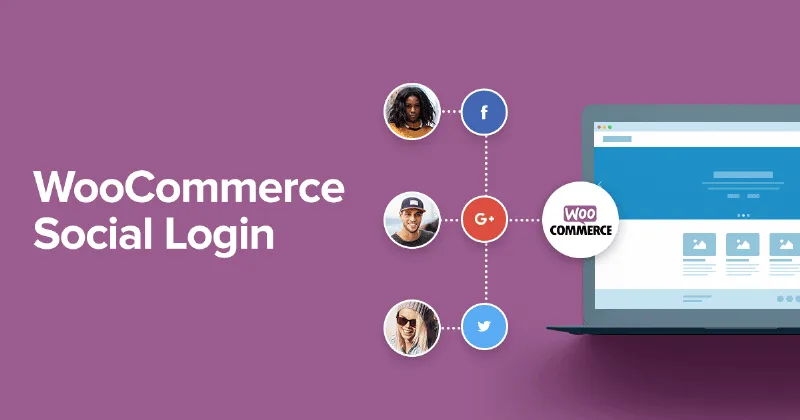
About WooCommerce Social Login (WooCommerce)
The customer who bought as a guest and never signed in again
Letting people buy as guests reduces abandonment on the first purchase, but it has a cost that shows up later: whoever comes back to your store has to create another username and password.
WooCommerce Social Login targets that spot: the customer signs in with a social network account they already have open, and the store creates a WordPress account linked to it. On later purchases, if they are still signed in to their network, they can get back in with one click.
How WooCommerce Social Login links networks and customer accounts
Customers can sign in with Facebook, Twitter, Google, Amazon, LinkedIn, PayPal or Disqus. What matters is how those links are managed:
- New account already linked: anyone who registers with a network is linked to it automatically.
- Invitation after paying: if you enable the buttons on the thank-you page, you can suggest that the customer link their network right after buying.
- Control in My Account: existing customers can connect their network when they sign in or from that page, and they can link or unlink whenever they want.
- A WordPress user behind it: the social network is tied to a WordPress user, so the account stays accessible even if the network is unlinked.
A report per network and what your server must have enabled
With the plugin active, a social registration report appears that counts the linked accounts on each network. The users list also gains a social profiles column. It helps you decide which buttons deserve to stay: if almost nobody uses a network, remove it and keep the form cleaner.
If you use Product Reviews Pro, the buttons can also appear in its login forms for adding, voting on or watching reviews. Without that plugin, that part does not exist.
Before you start, keep two requirements in mind:
- Whoever manages the store needs an account on each social network they want to connect.
- cURL must be enabled on the server (it usually comes enabled by default with your hosting).
It is compatible with the cart and checkout blocks and with high performance order storage (HPOS).
Social sign-in or pure guest checkout? What to look at before deciding
It fits if your store lives on repeat purchases and you want coming back to be easy. It is less useful if almost all your sales are one-off or if your audience rarely has accounts on the available networks, which are the seven listed above. If your customers use another one, you will not be able to offer it. Also check in the demo where the customer is sent back after signing in from a product page, and whether the step through the social network opens on the same page or in a separate window, because that affects the buying experience.
Does it replace the standard WooCommerce registration?
It adds another way to sign in. What it creates is a WordPress account linked to the chosen network.
Does it work with block-based checkout?
Yes, it is compatible with the WooCommerce cart and checkout blocks.
What do I need to connect each network?
An administrator account on that network and cURL enabled on the server. Then you enable the networks in the plugin settings.
What happens if a customer unlinks their network?
Their WordPress account still exists and they can access it.
Topics
Version history
-
v
2.18.4 Current 9 Oct 2026
-
v
2.18.3 5 Sep 2026
-
v
2.18.1 24 Jun 2026
-
v
2.18.0 17 Dec 2025
Customer reviews
Sign in to leave a review. Only people who have the product can review it.
No reviews for this product yet.
Frequently asked questions
-
GPL (General Public License) is the license under which WordPress and most premium plugins/themes are distributed. It grants you the right to use, modify and redistribute the software in as many projects as you want, with no domain restrictions.
-
Yes. With membership you get automatic updates via our GPLClub Updater plugin (installed on your WP, detects new versions and applies them). With individual purchase, you get one year of manual updates from your account.
-
Depends on the plan. Monthly: 3 domains. Semi-annual: 7. Annual and Lifetime: 15. Individual purchase: 1 domain.
-
GPLClub offers its own support for installation, configuration and compatibility. For direct support from the original author (feature requests, product-specific bugs), a license purchased from the author is required.