WordPress Real Thumbnail Generator
Antivirus scan
Powered by ClamAV
✅ Verified clean
This product file has passed our security filters.
Want to run a fresh ClamAV scan right now? Takes a few seconds and shows scanner version, signature DB and live result.
This can take 5 to 30 seconds.
Clean file Threat detected
No threats detected in this file.
- File
- Size
- Scanned
- ClamAV
- Signature database
⚡ Powered by ClamAV
Scan could not be completed
Report product
If you detected an issue (broken file, malware, inappropriate content, etc.) let us know and we'll review it ASAP.
Sign in to report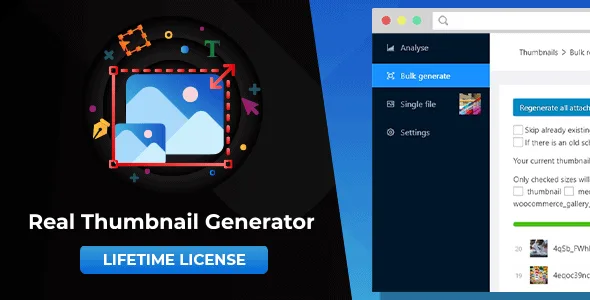
About WordPress Real Thumbnail Generator
When the new theme crops your old photos badly
You switch theme, register a new image size, and your older photos still come out with the previous design's crop, blurry or with odd proportions. WordPress generates thumbnails at the moment you upload the image, so whatever was already in the library knows nothing about the change.
And there is something almost nobody checks: every upload leaves several files on the server, and after a couple of theme changes you are left with sizes that no design uses. Real Thumbnail Generator covers both: it regenerates the thumbnails you do need and detects the ones left over so you can delete them.
Real Thumbnail Generator depending on the problem you have
You have just switched theme
You regenerate the whole library so the thumbnails fit the sizes of the current design. Afterwards you can detect the unused sizes and delete them. Make a backup before deleting anything.
You have only added one new size
There is no need to redo everything: you can regenerate only a set of sizes, for example the newly registered one, and skip the rest.
You run a WooCommerce store
The process works with all the images in the library, product images included.
You manage a multisite or use sliders
It is compatible with multisite, with Revolution Slider and with touch devices. It also regenerates the thumbnails of the PDFs in your library.
Thumbnail paths with your own pattern
By default, WordPress leaves the thumbnails next to the original, with the size in the file name. With this plugin you can define a pattern with placeholders for paths and names. An example: instead of myimage-150×150.jpg in the month folder, you can have a thumbnails subfolder with one folder per size and the file keeping its original name.
Fewer requests for faster regeneration
- Chunked regeneration: it uses fewer requests and can be up to 33% faster than other plugins.
- Single regeneration from the table view, the grid view or the file's detail screen.
- Bulk regeneration from the library, in table and grid view.
- It works with your existing images, with no need to upload them again.
Questions before regenerating a huge library
Can it handle libraries with hundreds of thousands of images? The regeneration process works with all of your images, including the WooCommerce ones that are in the library.
Does it work with my theme? It is compatible with any theme and plugin. It works with X Theme, Avada, Bridge, Salient, Be Theme, Enfold, Visual Composer, Justified Image Grid and Slider Revolution.
Can I regenerate just one image? Yes, from the library, in table view, grid view or the file's detail screen.
Does it collect personal data? No.
The new pattern does not reorganize old images on its own
If you change the path pattern, only the images you upload from that point on will use it. To apply it to existing files you have to force it during the regeneration process. Keep this in mind before running the process on a live site.
Version history
-
v
2.6.136 Current 7 Sep 2026
-
v
2.6.106 8 May 2025
Customer reviews
Sign in to leave a review. Only people who have the product can review it.
No reviews for this product yet.
Frequently asked questions
-
GPL (General Public License) is the license under which WordPress and most premium plugins/themes are distributed. It grants you the right to use, modify and redistribute the software in as many projects as you want, with no domain restrictions.
-
Yes. With membership you get automatic updates via our GPLClub Updater plugin (installed on your WP, detects new versions and applies them). With individual purchase, you get one year of manual updates from your account.
-
Depends on the plan. Monthly: 3 domains. Semi-annual: 7. Annual and Lifetime: 15. Individual purchase: 1 domain.
-
GPLClub offers its own support for installation, configuration and compatibility. For direct support from the original author (feature requests, product-specific bugs), a license purchased from the author is required.