AffiliateWP REST API Extended
Antivirus scan
Powered by ClamAV
✅ Verified clean
This product file has passed our security filters.
Want to run a fresh ClamAV scan right now? Takes a few seconds and shows scanner version, signature DB and live result.
This can take 5 to 30 seconds.
Clean file Threat detected
No threats detected in this file.
- File
- Size
- Scanned
- ClamAV
- Signature database
⚡ Powered by ClamAV
Scan could not be completed
Report product
If you detected an issue (broken file, malware, inappropriate content, etc.) let us know and we'll review it ASAP.
Sign in to report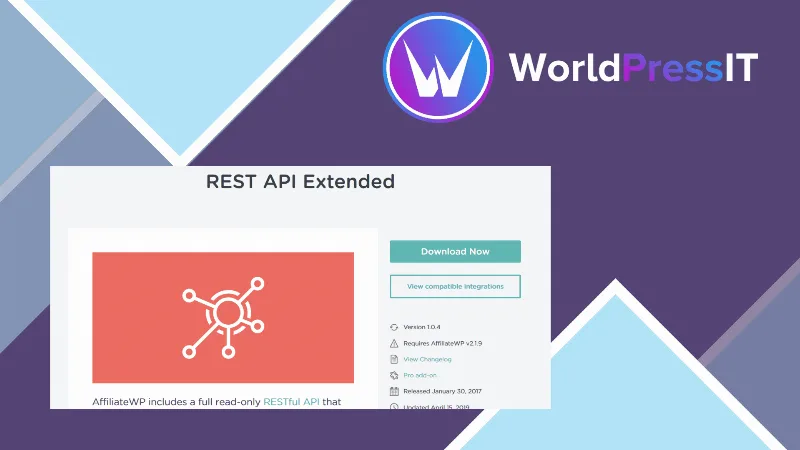
About AffiliateWP REST API Extended
Whoever can create referrals from outside can create commissions
Your store is not on WordPress, or your affiliate area lives in another application, and you need that system to count visits and sales in AffiliateWP. The read API that comes with AffiliateWP only lets you look.
Once writing is open, every API key becomes a way to create referrals and payouts, so that key is stored and handed out the way access to the program's money is.
REST API Extended adds create, update and delete operations to the AffiliateWP REST API, for five object types: affiliates, creatives, referrals, visits and payouts.
Five objects with full write access
- Affiliates: created from an existing user or by creating the user at the same time (with a unique payment email), with rate, rate type, status and notes. They are pending by default.
- Creatives: name, description, link, text, image and status, active or inactive.
- Referrals: affiliate, amount, currency, description, reference, context and status. They are pending by default and can be changed to paid.
- Visits: affiliate, associated referral, URL, referrer, campaign and IP.
- Payouts: affiliate, list of included referrals, amount and method; the status can be paid or failed.
How requests are made and what comes back
Routes hang from /wp-json/affwp/v1/. Each object has a collection route, with GET to list and filter and POST or PUT to create, and a per-item route, with GET to read, PATCH to edit and DELETE to remove. An OPTIONS request returns the methods, arguments and schema.
Authentication is Basic with a public key and a token that you generate in AffiliateWP, Tools, API Keys. Endpoints are enabled one by one in Settings, REST API. Creates and edits answer with code 201 and deletes with 200, and deletes return a copy of the removed object.
A use case and its conditions
A site that does not use WordPress can record its visits with an affiliate source, create the referral when there is a sale and, later, create the payout with the referrals it covers. It is a combination of operations that you should test in your environment before relying on it.
- Creating an affiliate requires a user ID or the option to create the user.
- Creating a payout requires specifying the affiliate.
Requirements and first steps
It needs AffiliateWP and its REST API, which is read-only without this add-on. To start:
- Install and activate the add-on alongside AffiliateWP.
- In AffiliateWP, Settings, REST API, enable the endpoints you will use.
- Generate a key in Tools, API Keys.
- Send a POST request with a Basic Authorization header to
/wp-json/affwp/v1/affiliatesto create a test affiliate and check for the 201 response.
Related AffiliateWP add-ons
The base program is AffiliateWP. Also available are Order Details for Affiliates and Recurring Referrals, which extend AffiliateWP in other ways.
Answers about REST API Extended
What does it add to the AffiliateWP API?
Create, update and delete for affiliates, creatives, referrals, visits and payouts. The bundled API only reads.
How do I authenticate?
With Basic authentication, using a public key and a token created in Tools, API Keys.
What status does a new referral have?
Pending by default, unless you specify another.
What does a delete return?
A response with "deleted" set to true and a copy of the removed object.
Topics
Version history
-
v
1.2.2 Current 25 Oct 2026
-
v
1.2.1 9 Sep 2025
Customer reviews
Sign in to leave a review. Only people who have the product can review it.
No reviews for this product yet.
Frequently asked questions
-
GPL (General Public License) is the license under which WordPress and most premium plugins/themes are distributed. It grants you the right to use, modify and redistribute the software in as many projects as you want, with no domain restrictions.
-
Yes. With membership you get automatic updates via our GPLClub Updater plugin (installed on your WP, detects new versions and applies them). With individual purchase, you get one year of manual updates from your account.
-
Depends on the plan. Monthly: 3 domains. Semi-annual: 7. Annual and Lifetime: 15. Individual purchase: 1 domain.
-
GPLClub offers its own support for installation, configuration and compatibility. For direct support from the original author (feature requests, product-specific bugs), a license purchased from the author is required.