EventON Speakers and Schedule Addon
Antivirus scan
Powered by ClamAV
✅ Verified clean
This product file has passed our security filters.
Want to run a fresh ClamAV scan right now? Takes a few seconds and shows scanner version, signature DB and live result.
This can take 5 to 30 seconds.
Clean file Threat detected
No threats detected in this file.
- File
- Size
- Scanned
- ClamAV
- Signature database
⚡ Powered by ClamAV
Scan could not be completed
Report product
If you detected an issue (broken file, malware, inappropriate content, etc.) let us know and we'll review it ASAP.
Sign in to report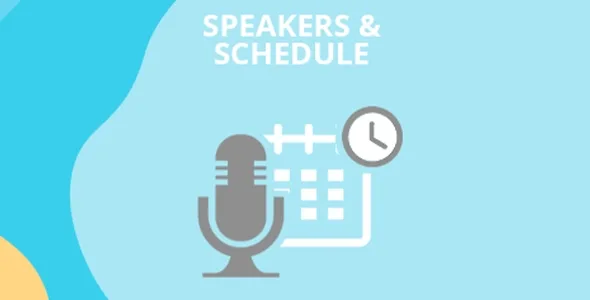
About EventON Speakers and Schedule Addon
The speaker profile lives outside the schedule
A two-day conference has six talks, and one speaker gives two of them. If you write her name and bio inside each schedule block, you have to repeat them, and when the link to her website changes, you fix it in two places.
In this addon speakers are created in one section and time blocks in another, and each block is assigned the speakers that apply, instead of typing them inside the block.
Speakers & Schedule is an EventON addon that adds speakers, a schedule or both to an event. The schedule is divided into time blocks, and you can also use only the schedule, without speakers.
The seven elements of the program
- Speaker list: gathers all the event's speakers in one place.
- Speaker profile: opens in a lightbox with bio, photo, social links and website.
- Schedule by time blocks: the event program is organized in slots.
- Speakers per block: you assign speakers to each slot of the schedule.
- Multiple days: the schedule supports events that last more than one day.
- Schedule notes: you can add extra notes to the program.
- Block order: blocks are reordered to leave the schedule the way you need it.
A repeating event and its days
If the event repeats on the 7th and the 14th, you can name the days your own way and call them day 1 and day 2. That way the schedule talks about the structure of the program and not about calendar dates. Take it as a starting point and adapt it to your event.
The scope of the addon
It works inside EventON, so it needs the main plugin installed and active. Among its functions there is no ticket selling and no attendee registration: other calendar addons handle that. Its job is to show who speaks and when.
Each speaker carries a bio, photo, social links and website. If you need other data, you can put it in the event description or in the schedule notes.
Getting started with an event program
First you need EventON running with at least one event created. Then:
- Install the addon with the WordPress installer and activate it.
- Open the edit screen of an event and find the Speakers section.
- Add the speakers with their bio, photo, social links and website.
- In the Schedule section create the time blocks, assign speakers to them and sort them.
- Update the event.
EventON addons you can add
If you also need to confirm attendance, look at EventON RSVP. If you want to sell tickets, there is EventON Event Tickets. For event photos there is a separate addon, EventON Event Photos.
Answers about Speakers & Schedule
Do I need the main EventON plugin?
Yes. It must be installed and active for the addon to work.
Can I show only the schedule, without speakers?
Yes. The addon allows speakers and schedule together, or only the schedule.
Where are speakers added?
On the event edit screen, in the speakers section. Time blocks are created in the schedule section.
Does it work for multi-day events?
Yes. The schedule supports several days and you can give them your own names, like day 1 and day 2.
Topics
Version history
-
v
2.1.4 Current 16 Sep 2025
Customer reviews
Sign in to leave a review. Only people who have the product can review it.
No reviews for this product yet.
Frequently asked questions
-
GPL (General Public License) is the license under which WordPress and most premium plugins/themes are distributed. It grants you the right to use, modify and redistribute the software in as many projects as you want, with no domain restrictions.
-
Yes. With membership you get automatic updates via our GPLClub Updater plugin (installed on your WP, detects new versions and applies them). With individual purchase, you get one year of manual updates from your account.
-
Depends on the plan. Monthly: 3 domains. Semi-annual: 7. Annual and Lifetime: 15. Individual purchase: 1 domain.
-
GPLClub offers its own support for installation, configuration and compatibility. For direct support from the original author (feature requests, product-specific bugs), a license purchased from the author is required.