Shortcoder Pro WordPress Plugin
Antivirus scan
Powered by ClamAV
✅ Verified clean
This product file has passed our security filters.
Want to run a fresh ClamAV scan right now? Takes a few seconds and shows scanner version, signature DB and live result.
This can take 5 to 30 seconds.
Clean file Threat detected
No threats detected in this file.
- File
- Size
- Scanned
- ClamAV
- Signature database
⚡ Powered by ClamAV
Scan could not be completed
Report product
If you detected an issue (broken file, malware, inappropriate content, etc.) let us know and we'll review it ASAP.
Sign in to reportNewer version out, or a problem?
About Shortcoder Pro WordPress Plugin
For those who paste the same code snippet into dozens of posts
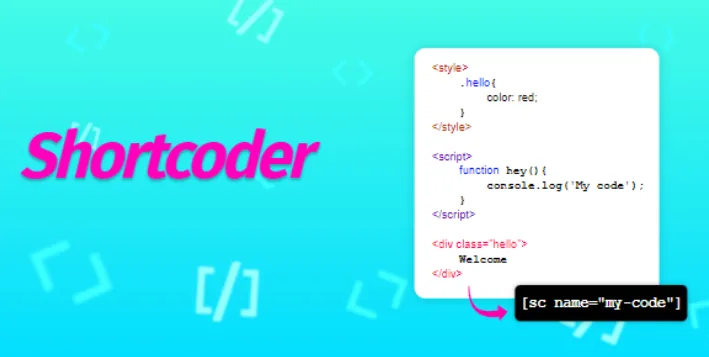
Pasting a map script, a button or an HTML block by hand into each post works until the code changes and you have to search dozens of posts to find where it was. Shortcoder stores that snippet once and calls it with a shortcode.
If that is your case, it fits well. But if you need to insert PHP, it does not work: the plugin handles only HTML, CSS and JavaScript.
Shortcodes with parameters to change the text without touching the code
Each shortcode is created from the WordPress dashboard and can hold placeholders inside its content. When you use it in a post you give it a specific value, for example [sc name="mi-codigo" heading="Bienvenida"], so one same block works with different text on each page. You can set default values so you do not have to fill them in every time, and insert WordPress properties as parameters.
Among the everyday features are a popup picker in the editor to insert shortcodes, import and export, and the option to disable them globally, only for administrators or by device type (desktop or mobile).
Code, visual or plain text editors depending on what you store
The content of each shortcode is written with the editor that best fits the material:
- Code editor
- Visual editor
- Plain text
What Shortcoder PRO adds: blocks, translations and revisions
The PRO version adds the following features.
Designing the content with the block editor or a page builder
You can define the shortcode content with the block editor or with a page builder, which makes it easier to design visually. The page builders tested are Elementor and WPBakery.
Translating shortcodes with WPML
There is integration with the WPML plugin, so you can translate the shortcodes you have created and the content will show in the site language.
Finding which posts contain each shortcode
From the same editing screen you can see the posts where a shortcode is used and filter by post type and status. It is useful before editing or deleting it.
Revisions and change comparison
You can enable revisions for the shortcode content, just as with posts, choose how many to keep and see the differences between them.
Extra code in the footer
For scripts or styles you only need once per page, the PRO version lets you insert that code at the bottom of the page when the shortcode appears. It is placed only at the bottom of the page.
Common questions before choosing Shortcoder PRO
Is there a free version?
Yes. The free version is installed from the WordPress repository and does not include the PRO features.
Can I store PHP code in a shortcode?
No. Shortcoder only supports HTML, CSS and JavaScript.
What happens if I delete a shortcode that is already in posts?
With the PRO version you can see which posts use it before editing or removing it, filtering by post type and status.
Can it be used on a multilingual site?
Yes. With the WPML integration in the PRO version you can translate shortcodes and show the content in the chosen language.
Version history
-
v
6.3.2 Current 8 Apr 2024
Customer reviews
Sign in to leave a review. Only people who have the product can review it.
No reviews for this product yet.
Frequently asked questions
-
GPL (General Public License) is the license under which WordPress and most premium plugins/themes are distributed. It grants you the right to use, modify and redistribute the software in as many projects as you want, with no domain restrictions.
-
Yes. With membership you get automatic updates via our GPLClub Updater plugin (installed on your WP, detects new versions and applies them). With individual purchase, you get one year of manual updates from your account.
-
Depends on the plan. Monthly: 3 domains. Semi-annual: 7. Annual and Lifetime: 15. Individual purchase: 1 domain.
-
GPLClub offers its own support for installation, configuration and compatibility. For direct support from the original author (feature requests, product-specific bugs), a license purchased from the author is required.