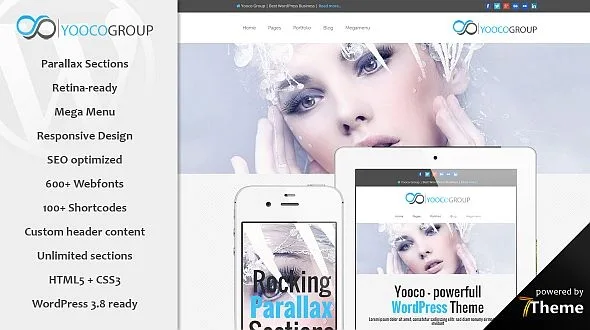
Sterling – Responsive WordPress Theme
Antivirus scan
Powered by ClamAV
✅ Verified clean
This product file has passed our security filters.
Want to run a fresh ClamAV scan right now? Takes a few seconds and shows scanner version, signature DB and live result.
This can take 5 to 30 seconds.
Clean file Threat detected
No threats detected in this file.
- File
- Size
- Scanned
- ClamAV
- Signature database
⚡ Powered by ClamAV
Scan could not be completed
Report product
If you detected an issue (broken file, malware, inappropriate content, etc.) let us know and we'll review it ASAP.
Sign in to report
About Sterling – Responsive WordPress Theme
The second donation depends on what happened to the first
Your organization launches a campaign for a project. There is a photo, a figure and a thank-you. A year later, the same person receives the next campaign and wonders what became of the last one. They visit the website and find another urgent cause, without a line on how that one ended.
The first donation is won by describing a need; the next one is won by showing what was done with the money. Sterling, the TrueThemes theme for charities and nonprofit organizations, is worth looking at from that second question. Its elements include timelines with date and image and progress bars with figures, exactly the pieces that let you publish a project's progress and keep it up to date.
Page elements included in Sterling
- Features Timeline: entries with date, title, text, image and an optional button, in several variants.
- Progressbar: percentages and figures with heading and description, as a bar, circle or number with icon.
- Time Schedule: a list of days and hours, with the option to highlight some.
- Team and Team member, to introduce the people in the organization.
- Clients, Google Map, Contact Info and Call to action.
- Instagram, Twitter and Social Networks to bring your networks to the page.
- Coming Soon, Pricing Tables, Features Slider and Recent Posts.
- Responsive, retina-ready design, with a grid and touch gestures on mobile.
A project page that accounts for itself
The Features Timeline takes a date, a title, a text and an image per entry. With that you can create one page per project and add an entry whenever something moves forward: buying materials, starting the work, the handover. Leaving the page published between campaigns as well turns the record into your best argument.
The Progressbar gives you visible figures, such as the completed percentage of a goal. It is a value you enter yourself: the element asks for a number and displays it. Update it when it changes.
The Time Schedule solves something more modest and very useful for an organization with an office: saying which days and hours it is open, with the option to highlight the ones that matter.
What Sterling does not solve by itself
The documented elements present content, and the pricing tables only carry a button linking to a URL. The theme includes templates for a plugin called Give. After activating the theme, review the list of required and recommended plugins: if no donation tool appears, you will need to add one to collect payments and manage donors.
The forms in the Contact Forms element need Contact Form 7, with subscribe and register styles.
Sterling relies on Aheto, the TrueThemes builder, compatible with Elementor and WPBakery. To use its features on a page you have to select the Aheto Canvas Template. The editing guides use Elementor, so that is the simplest path to follow.
Memory, import and the first project page
The recommended values for the theme are 256M of memory, 360 seconds of execution time and 8M for upload and post size, on hosting with HTTPS.
- Install the theme and the plugins listed in the notice after activating it.
- Open Aheto, Setup, and follow the configuration steps.
- Import from the demos only the pages you will use. The others can be added later from Aheto, Template Kits.
- Open each imported page and click Update.
- Remove from the menu the pages you did not import and arrange the hierarchy.
- Create your first project page with the Features Timeline.
Themes and plugins for causes and fundraising
GiveWP adds donation forms, donor records with their history and fundraising reports, which is the part to cover if your install has no payment tool.
If you are comparing themes in the same sector, the catalog also has Oxpitan and Gainlove.
Progress, builder and demo: short answers
Can I show a project's progress?
Yes, with the Features Timeline and the Progressbar, updating the entries and figures yourself.
Does the progress bar update by itself?
The element shows the value you enter in its settings.
Which builder is used for editing?
Aheto, compatible with Elementor and WPBakery. The editing guides use Elementor.
Do I need to import the whole demo?
No. You can choose what to import and add specific pages later from Template Kits.
Topics
Version history
-
v
3.0.8 Current 19 Jun 2024
Customer reviews
Sign in to leave a review. Only people who have the product can review it.
No reviews for this product yet.
Frequently asked questions
-
GPL (General Public License) is the license under which WordPress and most premium plugins/themes are distributed. It grants you the right to use, modify and redistribute the software in as many projects as you want, with no domain restrictions.
-
Yes. With membership you get automatic updates via our GPLClub Updater plugin (installed on your WP, detects new versions and applies them). With individual purchase, you get one year of manual updates from your account.
-
Depends on the plan. Monthly: 3 domains. Semi-annual: 7. Annual and Lifetime: 15. Individual purchase: 1 domain.
-
GPLClub offers its own support for installation, configuration and compatibility. For direct support from the original author (feature requests, product-specific bugs), a license purchased from the author is required.