UiPress Pro (formerly Admin 2020)
Antivirus scan
Powered by ClamAV
✅ Verified clean
This product file has passed our security filters.
Want to run a fresh ClamAV scan right now? Takes a few seconds and shows scanner version, signature DB and live result.
This can take 5 to 30 seconds.
Clean file Threat detected
No threats detected in this file.
- File
- Size
- Scanned
- ClamAV
- Signature database
⚡ Powered by ClamAV
Scan could not be completed
Report product
If you detected an issue (broken file, malware, inappropriate content, etc.) let us know and we'll review it ASAP.
Sign in to report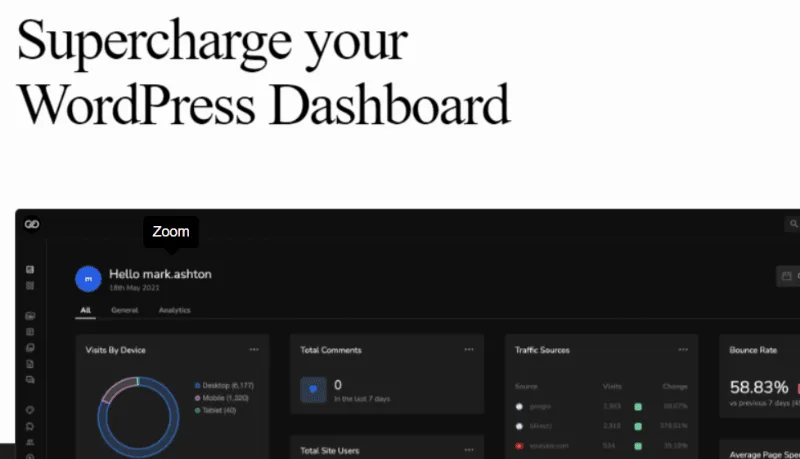
About UiPress Pro (formerly Admin 2020)
The WordPress dashboard follows the order of the software, not each person's work
An editor looks for her drafts, whoever runs the store wants the orders, and the client only needs to edit two pages. All three land on the same dashboard, with the same side menu and the same widgets, and each one learns to ignore what is not theirs.
Each role on your site does a different job, and the default screen treats them all the same. UiPress Pro answers that with templates: you build the admin interface with blocks and decide which roles each one applies to.
It is the paid part of UiPress, the visual builder for the WordPress admin that started life as Admin 2020. In exchange it asks for design work: someone has to build those screens, and the admin comes to depend on them.
What you get with UiPress lite and Pro installed
- uiBuilder: a block editor with more than 50 blocks, mobile preview and a template library.
- Global styles and patterns: you save a pattern and, when you change it, it updates across every template that uses it.
- Admin pages: page-type templates with dynamic data and a query loop builder.
- Custom forms: they send an email, pass the data to a function, or save it to user meta.
- Analytics: Google Analytics and WooCommerce inside the admin.
- Utilities: custom login page, role editor, private user posts and media, and a PHP error log.
The Pro extensions include folders for media, user management and a menu builder. Folders work with the WordPress media modals and with external page builders.
How a template reaches a specific role
The unit of work is the template. Each one has an "applies to" field with the roles it affects and a status that turns it on. Once saved as active, the new interface appears on the next page load.
The menu follows the same logic. In the menu builder you reorder, rename, hide or add items by dragging, and you assign each menu to its roles.
The price of swapping screens for templates
It needs UiPress lite. Installed without it, it shows a warning and does nothing.
It does not inherit the previous UiPress branch. The current one is entirely template based, and settings and pages from the previous one are not imported. If you come from that branch, the admin has to be rebuilt.
It works on the admin. The public pages of your site stay in the hands of your usual theme or builder.
It is separate from uiXpress. That is another product by the same maker: uiXpress rebuilds the everyday work screens, and UiPress gives you the editor to create your own.
Building your first admin by role
Install UiPress lite and UiPress Pro on a test site. The uiBuilder appears under Settings. From there:
- Write down which shortcuts each role really uses.
- Create a new template and import one from the library as a base.
- Add your role under "applies to", set it to active and save.
- Enable the menu builder in uiSettings and prepare the menu for that role.
- Log in as a user with that role and walk through their tasks before moving to the next one.
uiXpress, WP Adminify and Admin Menu Editor Pro versus UiPress
uiXpress replaces the default screens with a new interface and brings together modules such as an activity log, role editor and database explorer, without an editor for creating your own screens.
WP Adminify gathers more than 60 functions for deciding what each role sees, with skins, a menu editor and white label. Admin Menu Editor Pro is another option in the catalog if your work centers on the menu.
UiPress templates and branches in practice
Can I install UiPress Pro on its own?
No. UiPress Pro requires UiPress lite, which is downloaded from the WordPress directory. Without it you will see a warning and the plugin will do nothing.
How is Google Analytics shown on the dashboard?
Use an analytics template from the library or build your own, connect your Google account and choose the profile. The data appears in the admin.
Does it work for creating new admin screens?
Yes. In the uiBuilder you set the template as an admin page and fill it with blocks, dynamic data and query loops.
Do my settings from the previous branch carry over to the current one?
They are not imported. The two branches are separate and the current one works only with templates.
Version history
-
v
3.4.02 Current 8 Jan 2025
Customer reviews
Sign in to leave a review. Only people who have the product can review it.
No reviews for this product yet.
Frequently asked questions
-
GPL (General Public License) is the license under which WordPress and most premium plugins/themes are distributed. It grants you the right to use, modify and redistribute the software in as many projects as you want, with no domain restrictions.
-
Yes. With membership you get automatic updates via our GPLClub Updater plugin (installed on your WP, detects new versions and applies them). With individual purchase, you get one year of manual updates from your account.
-
Depends on the plan. Monthly: 3 domains. Semi-annual: 7. Annual and Lifetime: 15. Individual purchase: 1 domain.
-
GPLClub offers its own support for installation, configuration and compatibility. For direct support from the original author (feature requests, product-specific bugs), a license purchased from the author is required.