WP Travel Engine - Trip Fixed Starting Dates Countdown
Antivirus scan
Powered by ClamAV
✅ Verified clean
This product file has passed our security filters.
Want to run a fresh ClamAV scan right now? Takes a few seconds and shows scanner version, signature DB and live result.
This can take 5 to 30 seconds.
Clean file Threat detected
No threats detected in this file.
- File
- Size
- Scanned
- ClamAV
- Signature database
⚡ Powered by ClamAV
Scan could not be completed
Report product
If you detected an issue (broken file, malware, inappropriate content, etc.) let us know and we'll review it ASAP.
Sign in to report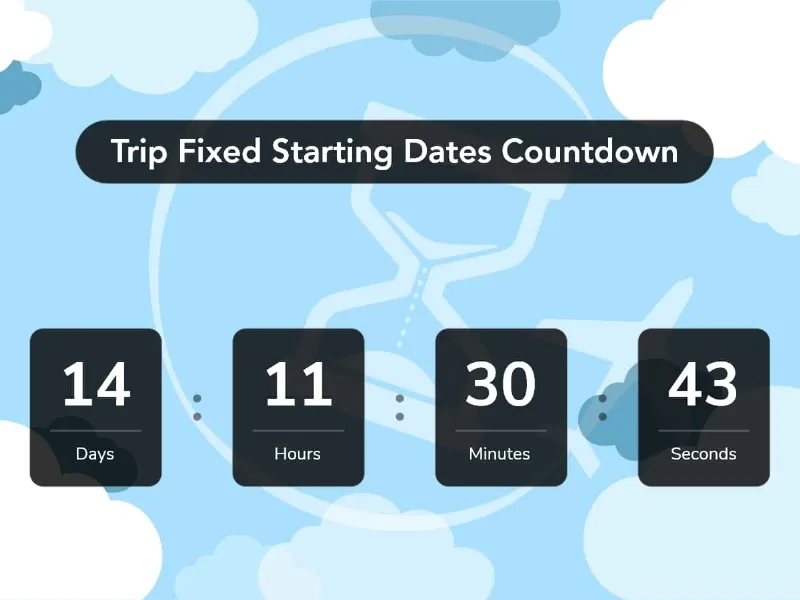
About WP Travel Engine - Trip Fixed Starting Dates Countdown
Twelve days until departure
That sentence, placed where it can be seen, does for a dated trip what no description manages: it turns "I will go some day" into "if I do not book this week, I miss it". It is not a trick, it is real information the customer needs and which on most travel websites is hidden.
This add-on gives WP Travel Engine a countdown to the trip's departure date.
What it does
- A countdown to departure, shown on the trip page.
- Its own widget, for placing it in sidebars or on other pages too.
- Specific or automatic date: you pick a fixed departure, or the countdown points by itself at the next available one.
- Per-trip configuration, from a dedicated panel on each listing.
The automatic option is the right one
Worth choosing it rather than the fixed date, for a practical reason: a countdown pointed by hand at a specific date reaches zero and stays there, advertising a departure that has already gone. It is one of those details nobody reviews and which make a website look abandoned.
With the automatic option, as soon as a departure passes, the countdown jumps by itself to the next one. Configured once, never revisited.
Requirements
This is the important point and there are two dependencies, not one.
It needs WP Travel Engine, the trip booking plugin. And it also needs the fixed starting dates add-on, which is what defines those departures. Without that second one, there is no date to count towards and the countdown has nothing to do.
Put another way: this is the finishing touch on a setup that has to exist already. It only works on trips with fixed departures configured.
How to start
One. Check you have the fixed starting dates add-on and that departures are loaded.
Two. Enable the countdown on seasonal trips, not on all of them. On a trip departing weekly it adds no urgency, it adds noise.
Three. Choose the automatic option, not the fixed date.
Four. Put it high up, near the price and the book button. A countdown at the foot of the page gets seen by nobody.
Alternatives in the catalogue
If you work with WP Travel Engine, the piece usually needed before this one is the WooCommerce integration for payment, and of course the main plugin.
If instead you are deciding what to build the site with, there are travel themes with different approaches. Bexper ships its own booking engine. Advenx is aimed at active tourism and sells through WooCommerce. And Love Travel suits agencies working to order, where bookings get captured by form.
If you would rather stay within this same system, there is a theme built for it: Travel Tour Booking, which rests on WP Travel Engine and avoids having to make the design agree with the plugin's screens.
Frequently asked questions
What do I need to use it?
WP Travel Engine and also the fixed starting dates add-on. Two dependencies.
Does it work on every trip?
Only on those with fixed departures configured.
Do I have to change the date by hand each season?
No, if you choose the automatic option, which points by itself at the next available departure.
Can it go outside the trip page?
Yes, it has its own widget for placing it wherever you want.
Is it useful for trips departing daily?
Technically yes, but it adds nothing. Its value is in departures with limited dates.
Does it show remaining places?
No. That belongs to seat management, which is a different add-on.
Topics
Version history
-
v
2.1.0 Current 13 May 2024
Customer reviews
Sign in to leave a review. Only people who have the product can review it.
No reviews for this product yet.
Frequently asked questions
-
GPL (General Public License) is the license under which WordPress and most premium plugins/themes are distributed. It grants you the right to use, modify and redistribute the software in as many projects as you want, with no domain restrictions.
-
Yes. With membership you get automatic updates via our GPLClub Updater plugin (installed on your WP, detects new versions and applies them). With individual purchase, you get one year of manual updates from your account.
-
Depends on the plan. Monthly: 3 domains. Semi-annual: 7. Annual and Lifetime: 15. Individual purchase: 1 domain.
-
GPLClub offers its own support for installation, configuration and compatibility. For direct support from the original author (feature requests, product-specific bugs), a license purchased from the author is required.