DIGITS: Forced Login Page Lock Addon
Antivirus scan
Powered by ClamAV
✅ Verified clean
This product file has passed our security filters.
Want to run a fresh ClamAV scan right now? Takes a few seconds and shows scanner version, signature DB and live result.
This can take 5 to 30 seconds.
Clean file Threat detected
No threats detected in this file.
- File
- Size
- Scanned
- ClamAV
- Signature database
⚡ Powered by ClamAV
Scan could not be completed
Report product
If you detected an issue (broken file, malware, inappropriate content, etc.) let us know and we'll review it ASAP.
Sign in to report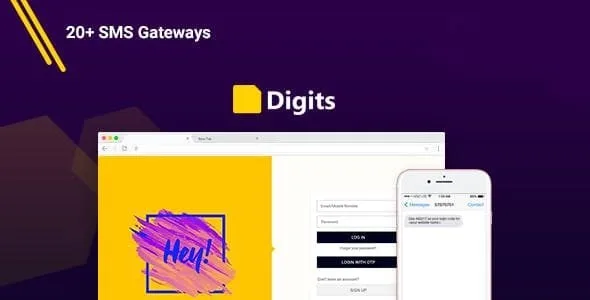
About DIGITS: Forced Login Page Lock Addon
For people who need visitors to identify themselves before seeing anything, not for those who want access tiers
Leaving a page open and hoping visitors register on their own almost never works: they read, leave, and you never find out who they were. Forced Login Page Lock flips that approach: the page exists, but to see it you have to log in or create an account.
It is an addon for Digits, the mobile number login plugin. It does not work on its own: the form that appears is the Digits one, so you need Digits installed.
It fits you if:
- You have content you want to reserve for registered users, such as a specific post, page or product.
- You want to require an account before payment in WooCommerce.
- You need a site that only logged in users can see.
It does not fit if you need to distinguish between plans, paid roles or content unlocked by subscription. The lock works with a simple idea: logged in user or not. For tiered memberships you need a different kind of plugin.
What you can lock with Forced Login Page Lock
The scope goes from the most specific to the most total:
- Pages: you lock only the ones you choose, for example a downloadable resource or a resources page.
- Posts: you reserve specific articles and leave the rest of the blog open.
- Products: a product page is only visible once logged in.
- Checkout: anyone reaching payment first sees the login and signup form.
- Whole site: an anonymous visitor only finds the login.
The value is in being able to scale it. You can start by locking a single page and see whether the signups are worth it before tightening anything else.
Modal or login page: how your visitor is greeted
The plugin lets you choose whether the form appears in a pop-up window (modal) or on a page. It is not a cosmetic detail. The modal leaves visitors feeling they are still where they were, which tends to work better on an article or a product. The login page is clearer when the whole site is locked and there is nothing behind it to show.
The Digits form lets people log in with a mobile number or an email address. Try it in the demo from a phone, because that is where your visitors will see it most often.
Requiring an account at checkout: you gain signups, you risk sales
Locking the checkout forces buyers to register or log in before paying. For a store, that means a base of identified customers. It also means one more step just when the customer already has their card in hand.
It makes the most sense when the purchase already requires an account by nature (courses, downloads, recurring orders). If you sell impulse items to first-time visitors, measure first whether you lose orders. This lock also only makes sense with WooCommerce active.
Locking the whole site: think about people without an account
With the entire site locked, anyone arriving without an account only sees the login. That suits a client area, a private community or a site being prepared for a closed group. It is a poor fit if you depend on being found: nobody hires what they cannot see.
Check in the demo how it behaves with pages you would normally want public, such as contact or legal notice, before locking everything.
Frequently asked questions
Does it work without Digits?
No. It is a Digits addon and uses its login and signup form.
Can I lock just one post or page?
Yes. You can lock specific pages and posts without closing the rest of the site.
Does it work with WooCommerce?
Yes: it lets you lock products and the checkout page, with WooCommerce installed.
Does it work for memberships with different plans?
It is not designed for that. It separates logged in users from visitors, not plans or paid roles.
Can the login appear in a pop-up?
Yes. You can choose between a modal or a page.
Topics
Version history
-
v
3.0 Current 30 May 2024
Customer reviews
Sign in to leave a review. Only people who have the product can review it.
No reviews for this product yet.
Frequently asked questions
-
GPL (General Public License) is the license under which WordPress and most premium plugins/themes are distributed. It grants you the right to use, modify and redistribute the software in as many projects as you want, with no domain restrictions.
-
Yes. With membership you get automatic updates via our GPLClub Updater plugin (installed on your WP, detects new versions and applies them). With individual purchase, you get one year of manual updates from your account.
-
Depends on the plan. Monthly: 3 domains. Semi-annual: 7. Annual and Lifetime: 15. Individual purchase: 1 domain.
-
GPLClub offers its own support for installation, configuration and compatibility. For direct support from the original author (feature requests, product-specific bugs), a license purchased from the author is required.