Member Profile add-on for Calendarize it!
Antivirus scan
Powered by ClamAV
✅ Verified clean
This product file has passed our security filters.
Want to run a fresh ClamAV scan right now? Takes a few seconds and shows scanner version, signature DB and live result.
This can take 5 to 30 seconds.
Clean file Threat detected
No threats detected in this file.
- File
- Size
- Scanned
- ClamAV
- Signature database
⚡ Powered by ClamAV
Scan could not be completed
Report product
If you detected an issue (broken file, malware, inappropriate content, etc.) let us know and we'll review it ASAP.
Sign in to report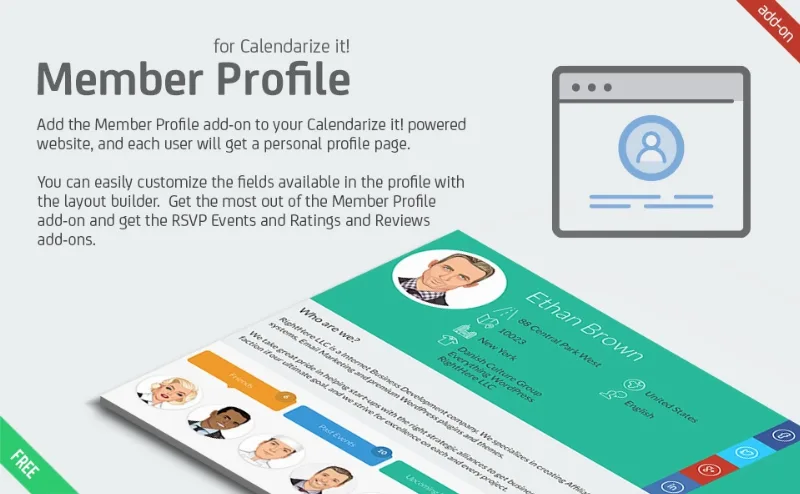
About Member Profile add-on for Calendarize it!
An audience that scatters when each event ends
Someone RSVPs to your workshop, shows up, comes back for the next one and leaves a review. Your calendar keeps that data, but the person remains faceless to everyone else. Those who shared three sessions with them do not know they exist, and each new event starts from zero.
A calendar publishes dates; a community needs people to be able to see each other. That gap closes by giving each attendee a place of their own on the site.
Member Profile for Calendarize it! is an add-on for the Calendarize it! calendar plugin. It creates a profile page for each user, adds a page with all members and lets people form groups and teams.
A personal page with each member's activity
The profile gathers what that person does on your site:
- Events: upcoming and past ones they responded to, with their attending status, if you use the RSVP add-on.
- Ratings: the reviews they have written, if you use Ratings and Reviews.
- Content: posts and comments, if that person contributes them.
- Friends: members send each other friend requests and the profile shows their contacts.
- Social networks: the profile links to Facebook, Twitter or LinkedIn after ownership is validated by logging in to that network.
Member Profile displays data that originates elsewhere. The biggest benefit comes from adding RSVP Events and Ratings and Reviews, also from Calendarize it!
If your site does not use them, the profile relies on posts, comments, friends and social links. If your members only attend and do not publish, think first about what they will see on that page.
Members, groups and teams in plain view
The Members page lists the site's users and lets you sort them by most posts, most ratings, most past events, most upcoming events or alphabetically. Each name leads to its profile.
Groups & Teams adds another layer. You decide which user roles can create groups or teams, and other members join them. Creating one takes a title, description and image, and there is an option to allow anyone to join. The list sorts alphabetically or by number of members.
Profile design and what stays outside the add-on
The profile is designed by dragging and dropping predefined elements, and its tabs are reordered the same way. The Groups & Teams, Members and Member Profile pages are configured as templates, and the layout is responsive. The free Visual CSS Editor changes colors and fonts, with more than 600 Google Web Fonts.
There are some clear limits:
- It does not work alone: it needs Calendarize it!
- It does not manage attendance or reviews: those functions belong to its add-ons.
- Each social network needs API authorization before the link can be added.
- It does not charge: membership levels and payments are not among its features.
How to get the profiles running
With Calendarize it! working, follow this order:
- Install and activate Member Profile for Calendarize it!
- Add RSVP Events and Ratings and Reviews if you will use them.
- Set up the pages that will act as templates for Member Profile, Members and Groups & Teams.
- Arrange the profile with the drag-and-drop editor.
- Define which user roles can create groups.
- Authorize the social networks you want to offer.
- Log in with a test user, RSVP to an event and review their profile.
Profiles and community by different routes
If you want profiles without depending on a calendar, UsersWP adds front-end registration and login, tabbed profiles and a user directory.
If you want a community with more control over group privacy, PeepSo Groups offers open, private and secret groups within PeepSo.
If your site runs on Paid Memberships Pro, there is PMPro Member Directory and Profile Pages. And to add sources to the same calendar, there is External Event Sources for Calendarize it!
Profiles and groups day to day
Does it work without Calendarize it!?
No. It is an add-on for that calendar plugin.
Does it show which events each member will attend?
Yes, with the RSVP add-on: it shows upcoming and past events with their attending status.
Can any user create a group?
You decide which user roles have that permission.
Can a group admit members freely?
Yes. When creating it, there is an option to allow anyone to join.
Topics
Version history
-
v
1.1.5.87193 Current 12 May 2024
Customer reviews
Sign in to leave a review. Only people who have the product can review it.
No reviews for this product yet.
Frequently asked questions
-
GPL (General Public License) is the license under which WordPress and most premium plugins/themes are distributed. It grants you the right to use, modify and redistribute the software in as many projects as you want, with no domain restrictions.
-
Yes. With membership you get automatic updates via our GPLClub Updater plugin (installed on your WP, detects new versions and applies them). With individual purchase, you get one year of manual updates from your account.
-
Depends on the plan. Monthly: 3 domains. Semi-annual: 7. Annual and Lifetime: 15. Individual purchase: 1 domain.
-
GPLClub offers its own support for installation, configuration and compatibility. For direct support from the original author (feature requests, product-specific bugs), a license purchased from the author is required.