WooCommerce Abandoned Cart Recovery - Email - SMS - Messenger
Antivirus scan
Powered by ClamAV
✅ Verified clean
This product file has passed our security filters.
Want to run a fresh ClamAV scan right now? Takes a few seconds and shows scanner version, signature DB and live result.
This can take 5 to 30 seconds.
Clean file Threat detected
No threats detected in this file.
- File
- Size
- Scanned
- ClamAV
- Signature database
⚡ Powered by ClamAV
Scan could not be completed
Report product
If you detected an issue (broken file, malware, inappropriate content, etc.) let us know and we'll review it ASAP.
Sign in to report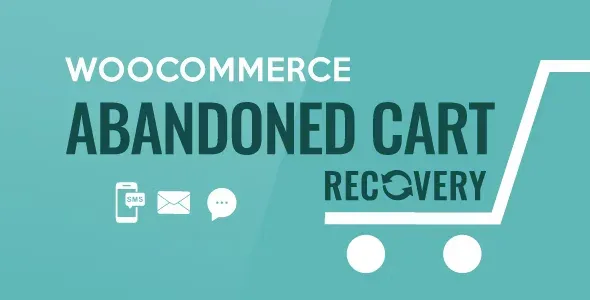
About WooCommerce Abandoned Cart Recovery - Email - SMS - Messenger
An abandoned cart is a sale you almost closed
Someone chose the product, put it in the cart and left without paying. Maybe they were interrupted, maybe they doubted the shipping, maybe they were going to compare prices. Without any nudge from you, that purchase quietly disappears. This plugin detects those carts and writes to the customer by email, SMS or Facebook Messenger so they come back to their order.
When a cart becomes abandoned and what WooCommerce Abandoned Cart Recovery stores
You decide how much time must pass since the last action on the cart before it is marked as abandoned, and you can set a different period for registered users and for guests. Each record stores the date, email, products, total, status, the log of reminders sent, IP and country.
- Two possible statuses: abandoned and recovered.
- A table in the admin area where you can check carts at any time.
- Automatic deletion of records after the period you set.
- Exclusion of specific users so they are not tracked.
- Recovery link that leads to the cart or straight to the checkout.
- Optional privacy (GDPR) notice under the email field at checkout, with an editable message. It is a tool to display it, not a guarantee of compliance.
Asking for the email before adding to the cart
A guest cart without an email cannot be recovered. That is why the plugin includes a pop-up that appears the first time someone clicks add to cart and asks for their email. After that it does not show again, and the email is filled in automatically at checkout.
You choose which pages it appears on (product, shop or cart), whether the email is required or the customer can close it, how long it takes to reappear after being closed, and whether the customer is sent to the cart or checkout after adding. There are two templates and you can change texts and colors. Note: if you make it required, a hurried buyer may get annoyed; if you leave it optional, you will lose emails.
Email, SMS and Messenger: what it sends and its limits
Emails can go to guests, registered users or both, and also to failed, canceled, on-hold or pending-payment orders. You can create several templates and schedule them at different times, set the reply-to address (the admin address by default) and add an existing coupon or let the plugin generate unique coupons with WooCommerce options. You can also select carts from the list and send an email manually. It is compatible with WPML and Polylang so emails are written in the site's language, and it connects with platforms such as ActiveCampaign or Sendinblue.
For SMS it works with Twilio, Nexmo, Plivo and Infobip, and you need an account with one of them. The message is only sent if the customer entered their phone number at checkout. A shortcode inserts the name and the link, and to shorten the link you must register with bit.ly and get an access token.
There is also sending through Facebook messages. And there is a technical requirement: the plugin relies on scheduled tasks (cron) being active on your server; without them, reminders will not go out on time.
Frequently asked questions
Does it recover carts from customers without an account?
Yes, if they left their email (for example in the pop-up) or their phone number at checkout. Without one of those, there is no one to write to.
Can I send a coupon only in the second reminder?
Yes. Each email template can carry its own coupon and they are scheduled at different times, so you can start with no discount and offer it later.
Does it include reports?
It includes four report types that you can filter by date range.
Can I avoid writing to certain people?
Yes, you can exclude specific users from tracking.
Before activating it: cron, SMS provider and staggered templates
Start by checking that the server cron works, because all sending depends on it. Then create at least two email templates with different timings, for example a simple reminder and another with a coupon. If you will use SMS, open the account with the provider and get the bit.ly token first. Run a test abandoned purchase with your own email to see when each message arrives and how it looks.
Topics
Version history
-
v
1.2.2 Current 18 Sep 2026
-
v
1.2.1 5 Sep 2026
-
v
1.1.9 11 Mar 2026
Customer reviews
Sign in to leave a review. Only people who have the product can review it.
No reviews for this product yet.
Frequently asked questions
-
GPL (General Public License) is the license under which WordPress and most premium plugins/themes are distributed. It grants you the right to use, modify and redistribute the software in as many projects as you want, with no domain restrictions.
-
Yes. With membership you get automatic updates via our GPLClub Updater plugin (installed on your WP, detects new versions and applies them). With individual purchase, you get one year of manual updates from your account.
-
Depends on the plan. Monthly: 3 domains. Semi-annual: 7. Annual and Lifetime: 15. Individual purchase: 1 domain.
-
GPLClub offers its own support for installation, configuration and compatibility. For direct support from the original author (feature requests, product-specific bugs), a license purchased from the author is required.