WooCommerce Support Ticket System
Antivirus scan
Powered by ClamAV
✅ Verified clean
This product file has passed our security filters.
Want to run a fresh ClamAV scan right now? Takes a few seconds and shows scanner version, signature DB and live result.
This can take 5 to 30 seconds.
Clean file Threat detected
No threats detected in this file.
- File
- Size
- Scanned
- ClamAV
- Signature database
⚡ Powered by ClamAV
Scan could not be completed
Report product
If you detected an issue (broken file, malware, inappropriate content, etc.) let us know and we'll review it ASAP.
Sign in to report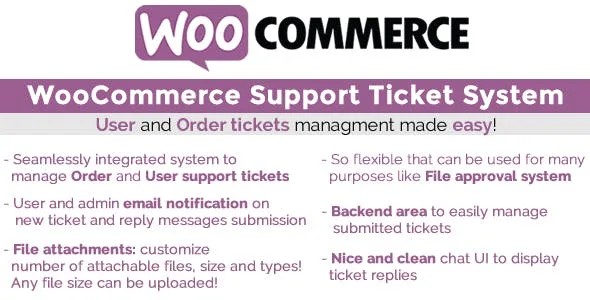
About WooCommerce Support Ticket System
When an order question lands in an email with no order number
A customer writes "what I ordered hasn't arrived" and the ping-pong begins: which order?, which email did you buy with?, can you send a photo? Almost every question in an online shop is about a specific purchase, and regular email separates the conversation from that purchase. If another team member takes over, the thread gets lost.
WooCommerce Support Ticket System tackles exactly that: it adds a ticket area inside each order's detail page (My Account, Orders, pick an order). From there the customer opens a query about that order, reads your replies and adds messages, and can optionally attach one or more files. You manage it all from a dedicated area in the WooCommerce backend.
Guest customers can use it too: they reach the order ticket from the thank-you page. And if you don't want tickets in certain cases, you can disable the system entirely or only for the order statuses you choose.
Two ways to ask: by order and by customer
Not every question is about an order. For that there is the user ticket, tied to the person (who must be logged in) rather than a purchase.
- In My Account: it appears on its own, in a tab called Personal Ticket Area, with text you can customize from the texts menu.
- On any page: with the [wcsts_ticket_area] shortcode. If you don't want new tickets opened from that page, add the open_new_ticket parameter with a value of 0.
- Message for visitors who aren't logged in: you can write your own, with HTML, between the opening and closing tags of the shortcode.
Email notifications to the customer and the administrator are optional, and several system texts can be adapted to your shop's tone.
Pay Per Ticket: turning questions into something that is bought
If your product is or includes advice (a consultation, a review, answering questions after purchase), free email forces you to give away unlimited time. Pay Per Ticket brings order to it: you assign a number of questions to a product, or to each variation, in the Questions number field of the General tab (for variable products, in the Variations tab).
When the order is paid or marked as completed, the plugin opens a special ticket with that allowance. The quantity bought multiplies it: if the product carries 6 questions and the customer buys 2 units, the ticket starts with 12. You can edit the remaining questions from the ticket page. If the customer buys several products with questions, one ticket is opened for each. When it reaches 0 questions, the ticket closes by itself.
The area is shown on the frontend with the [wcsts_pay_per_ticket_area] shortcode on any page that supports shortcodes, only for registered users (everyone else sees a login message that you can also customize).
Decide whether WooCommerce Support Ticket System is enough as your help center
It is a ticket system for WooCommerce, not a chat or an outside customer service. Keep these limits in mind before choosing it:
- Email notifications and attachments come disabled: you have to turn them on in the Options menu.
- If an order contains at least one Pay Per Ticket product, the regular order ticket is not opened.
- The user ticket and the Pay Per Ticket area require a logged-in session.
- If a Pay Per Ticket order is deleted or becomes failed, canceled or refunded, its ticket is deleted too.
Can a customer who bought without registering write in?
Yes, but only through order tickets, from the thank-you page. The notification email includes the link through the {order_page_url} shortcode.
Can files be attached?
Yes, optionally, by enabling it in Options.
Can I limit tickets to certain orders?
Yes: you can disable the order system for the statuses you don't want.
Can I adjust the questions a customer has left?
Yes, from the ticket edit page.
Topics
Version history
-
v
18.6 Current 7 Oct 2026
-
v
18.5 4 Mar 2026
Customer reviews
Sign in to leave a review. Only people who have the product can review it.
No reviews for this product yet.
Frequently asked questions
-
GPL (General Public License) is the license under which WordPress and most premium plugins/themes are distributed. It grants you the right to use, modify and redistribute the software in as many projects as you want, with no domain restrictions.
-
Yes. With membership you get automatic updates via our GPLClub Updater plugin (installed on your WP, detects new versions and applies them). With individual purchase, you get one year of manual updates from your account.
-
Depends on the plan. Monthly: 3 domains. Semi-annual: 7. Annual and Lifetime: 15. Individual purchase: 1 domain.
-
GPLClub offers its own support for installation, configuration and compatibility. For direct support from the original author (feature requests, product-specific bugs), a license purchased from the author is required.