WP Admin Cleaner
Antivirus scan
Powered by ClamAV
✅ Verified clean
This product file has passed our security filters.
Want to run a fresh ClamAV scan right now? Takes a few seconds and shows scanner version, signature DB and live result.
This can take 5 to 30 seconds.
Clean file Threat detected
No threats detected in this file.
- File
- Size
- Scanned
- ClamAV
- Signature database
⚡ Powered by ClamAV
Scan could not be completed
Report product
If you detected an issue (broken file, malware, inappropriate content, etc.) let us know and we'll review it ASAP.
Sign in to report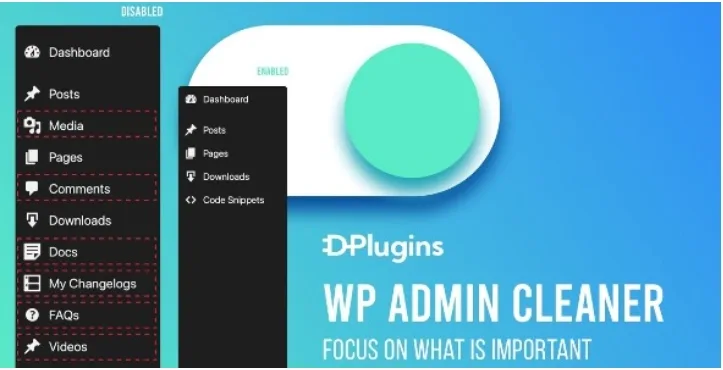
About WP Admin Cleaner
Two administrators, two panels that get in the way differently
Your designer and your developer both hold the administrator role. She has no use for custom fields and the code editor. He has none for the content plugins. A per-role setting does not solve that, because to WordPress they are the same: what you hide from one you hide from the other.
Noise in wp-admin tends to be personal: what bothers one person is what another uses every day with the same role. WP Admin Cleaner, from DPlugins, tackles that case as well as the usual per-role one: each administrator can hide menus for their own account only, without touching what others see.
The plugin works on wp-admin and the login screen, with no code.
Three levels for deciding who sees what
- Per user: each account hides items on its own panel.
- Per role: Editor, Subscriber and also the roles registered by plugins such as WooCommerce or Easy Digital Downloads, which appear in the list on their own.
- Super user: one account keeps the full menu and can override the other administrators.
The options cover the sidebar with its submenus and the top bar, both in the panel and on the site view. Menu order can also be changed per role or for your account only, and you can register your own links.
Added to that is the cleanup that gives the plugin its name: silencing persistent notices and removing the marketing widgets many plugins leave on the dashboard.
A dashboard and a login that look like your project
When handing a site to a client, the standard dashboard can be replaced with your own page holding tutorials, contact details or documentation. It is built with Gutenberg, Bricks or Oxygen, and each role can have its own. After login, each role can go to a specific page, with the option of hiding the top bar.
The login screen accepts a logo, colors and backgrounds, with templates such as Plain, Plain Dark or Half Screen Image, plus your own CSS. You can also change the login address: the original path then returns a 404 error.
There is a dark theme for wp-admin and another for the block editor. They come switched off, load only in the panel and do not affect the public site.
Hiding a menu is not removing a permission
Removing an item from the menu only deletes the link. If the role has the capability to edit those settings, anyone who types the URL can still open the page. To truly block access you have to change the role's capabilities, with a role editor.
Hidden plugins go further: they disappear from the list for everyone except the super user, and other administrators cannot activate or deactivate them.
Two other details matter:
- The custom dashboard is a page on the site, so if its tutorials must stay private you need to hide them from search engines with an SEO plugin.
- The super user is by default the user with ID 1. If you plan to delete that account, designate another one first.
Your first clean panel in five steps
The plugin is configured from Tools, WP Admin Cleaner. A careful order is this:
- In the Roles tab, confirm who the super user is.
- In User Role, choose a role, tick what should be hidden and save.
- Use the refresh button if you want to manage items in the site's top bar, because they are not loaded by default.
- Log in with an account of that role and review the result.
- Turn on your custom login address and check that you can still log in.
If you hide Tools by mistake, the plugin stops being visible. The Deactivate Cleaner option, at the top right, shows everything again so you can fix it.
Catalog plugins for other needs
If you want a broader tool, WP Adminify gathers more than 60 functions with skins and white label, and has an add-on for roles and capabilities. Admin Menu Editor Pro is another option in the catalog if your work centers on the menu. To hide more than the login address, Hide My WP Ghost changes the WordPress, plugin and theme paths.
WP Admin Cleaner in four answers
Can I hide menus just for myself?
Yes. What you hide on your account stays visible to the other administrators.
Can a client deactivate a hidden plugin?
No. It leaves the list and only the super user can manage it.
Does it block access to a page if I hide its menu?
Removing the menu only takes away the link. To block access, adjust the role's capabilities.
Does it change anything on the public site?
The public look does not change. The custom dashboard is a published page, though.
Version history
-
v
1.4.0 Current 16 May 2024
Customer reviews
Sign in to leave a review. Only people who have the product can review it.
No reviews for this product yet.
Frequently asked questions
-
GPL (General Public License) is the license under which WordPress and most premium plugins/themes are distributed. It grants you the right to use, modify and redistribute the software in as many projects as you want, with no domain restrictions.
-
Yes. With membership you get automatic updates via our GPLClub Updater plugin (installed on your WP, detects new versions and applies them). With individual purchase, you get one year of manual updates from your account.
-
Depends on the plan. Monthly: 3 domains. Semi-annual: 7. Annual and Lifetime: 15. Individual purchase: 1 domain.
-
GPLClub offers its own support for installation, configuration and compatibility. For direct support from the original author (feature requests, product-specific bugs), a license purchased from the author is required.