WP Event Aggregator Pro
Antivirus scan
Powered by ClamAV
✅ Verified clean
This product file has passed our security filters.
Want to run a fresh ClamAV scan right now? Takes a few seconds and shows scanner version, signature DB and live result.
This can take 5 to 30 seconds.
Clean file Threat detected
No threats detected in this file.
- File
- Size
- Scanned
- ClamAV
- Signature database
⚡ Powered by ClamAV
Scan could not be completed
Report product
If you detected an issue (broken file, malware, inappropriate content, etc.) let us know and we'll review it ASAP.
Sign in to report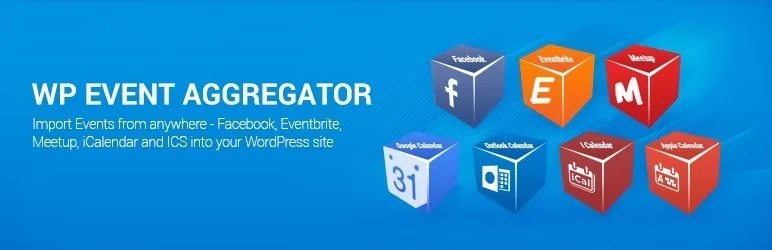
About WP Event Aggregator Pro
An imported event is a copy of data someone else is still editing
A local listings site, an association or a city portal live on events organized by other people. Copying them by hand gets tedious, and then you go looking for an importer. The importer solves the copying and leaves a question open: when the organizer changes the time, which version is the right one?
The data is still theirs. As soon as it lands in your WordPress there are two versions, and yours ages if nobody updates it. And if you touched up the title or description, the next sync may want to overwrite that work.
WP Event Aggregator Pro, by Xylus Themes, has tools for both ways of settling this: import and sync, or show the event live and store nothing. Choosing between them is the real decision with this product.
Copy or show: what changes on each path
Import with sync. Events stay on your site and you can categorize them, edit them or fit them into your calendar. Scheduled imports bring new ones and update existing ones. You can exclude specific data from that update to protect what you edited, and skip events you sent to the trash so they do not come back.
Event Feed. It shows live events from platforms such as Facebook, Eventbrite or Meetup, without importing them or saving them locally. The database does not grow and the data is the source's. In exchange, there is no copy of yours to edit.
A listings site that adds value to the event (reviews, its own categories, editorial text) leans toward importing. An organization that only wants to show its Facebook events on its website leans toward the feed.
Which platforms it imports from and into which calendars
- Platforms: Facebook, Eventbrite and Meetup.
- Calendars: iCalendar and ICS, Google Calendar, Outlook and Apple Calendar.
- Files: CSV, XML or JSON.
- Destination calendars: The Events Calendar, Events Manager, Event Organiser, EventON, My Calendar, Eventum and Event Espresso 4.
- With a separate add-on: Modern Events Calendar, WP Event Manager, Advanced Custom Fields, MyListing and Listeo, among others.
- With no other plugin: it has its own event management, with listing and detail pages.
Control over what comes in and what stays
- Schedules: several at once, with a button to activate or pause them.
- Past events: automatic trash, so the archive does not fill up with old dates.
To display them, there is a [wp_events] shortcode with columns, categories, date range, past events and order, plus a Gutenberg block, an upcoming events widget for Elementor and a WPBakery element.
Facebook conditions and ticket sales
Facebook is the source with the most conditions. Through the API you need a Facebook app, a site with HTTPS, and to mark each event as interested or going. In other words, it does not simply collect events: they pass through your account. The other route is the Facebook ICS URL.
Among its features there is no ticket sales system of its own: with Eventbrite it offers the ticket as a popup or embed.
Installing Pro on top of the free version
It requires WordPress 6.0 and PHP 7.4 or higher. WP Event Aggregator Pro runs on top of the free version of the plugin, which must be installed.
- Install the free version, then the Pro one, and activate them.
- Decide whether you will use its event management or a calendar you already have.
- Run a manual import of a single source and check dates, time zone and images.
- Schedule that source, exclude from sync what you plan to edit and turn on the trash for past events.
Other ways to have events on your site
If the origin is your own Google Calendar and you do not need to import anything, Simple Calendar Pro shows that calendar without creating another. If you are after the calendar itself, The Events Calendar Pro extends The Events Calendar, one of the destination calendars, and Modern Events Calendar connects through a separate add-on.
What people aggregating other organizers' events ask
Do I need another calendar plugin?
No. It has its own event management, and it can also import into the compatible calendars.
Does an event update if the organizer changes it?
Scheduled imports update existing events, and you can exclude specific data from that update.
Why are my Facebook events not coming in?
Through the API only those marked as interested or going arrive, and you need a Facebook app and HTTPS. You can also use the ICS URL.
Topics
Version history
-
v
1.6.1 Current 13 May 2024
Customer reviews
Sign in to leave a review. Only people who have the product can review it.
No reviews for this product yet.
Frequently asked questions
-
GPL (General Public License) is the license under which WordPress and most premium plugins/themes are distributed. It grants you the right to use, modify and redistribute the software in as many projects as you want, with no domain restrictions.
-
Yes. With membership you get automatic updates via our GPLClub Updater plugin (installed on your WP, detects new versions and applies them). With individual purchase, you get one year of manual updates from your account.
-
Depends on the plan. Monthly: 3 domains. Semi-annual: 7. Annual and Lifetime: 15. Individual purchase: 1 domain.
-
GPLClub offers its own support for installation, configuration and compatibility. For direct support from the original author (feature requests, product-specific bugs), a license purchased from the author is required.