EventOn Daily View Addon
Antivirus scan
Powered by ClamAV
✅ Verified clean
This product file has passed our security filters.
Want to run a fresh ClamAV scan right now? Takes a few seconds and shows scanner version, signature DB and live result.
This can take 5 to 30 seconds.
Clean file Threat detected
No threats detected in this file.
- File
- Size
- Scanned
- ClamAV
- Signature database
⚡ Powered by ClamAV
Scan could not be completed
Report product
If you detected an issue (broken file, malware, inappropriate content, etc.) let us know and we'll review it ASAP.
Sign in to report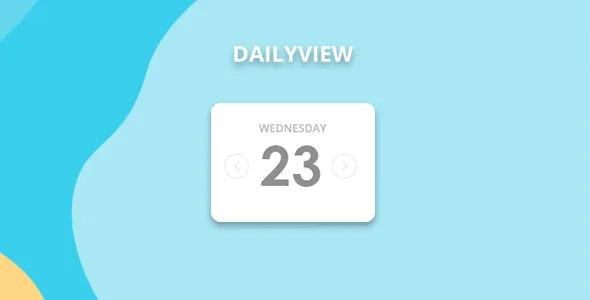
About EventOn Daily View Addon
The date the daily view loads on is an editorial decision
Whoever opens your events calendar does not see "the calendar": they see one day. And the day they see first decides whether they find something of interest or have to start clicking arrows.
In a daily view, the initial load day is the first thing every visitor sees, so choosing it is a content decision and not a technical detail.
DailyView is an EventON add-on that shows one day of events at a time. When you generate the shortcode you can set a fixed day or a day increment, and that decides which day appears on load. A fixed day always shows the same thing, such as the date of a conference.
A dotted day strip and days that load on demand
- Single-day view: shows the events of one date at a time.
- Day strip: each date carries up to 3 color dots, one per event, and a "+" sign if there are more. Hovering over a dot shows the event name.
- Focus day box: shows the date and how many events it has, with arrows to move between days and between months. It can be hidden.
- Month jumper: enabled in the settings to jump to a specific month.
- Load today only: the page loads today's events and brings in the others with AJAX when an arrow is clicked.
- Filters: uses EventON's filters to filter the day's events by category or other criteria.
- Styles: under EventON Settings, Appearance, DailyView Styles, you change fonts, colors, hover effects and backgrounds.
Two pages, one with a fixed day and one with an increment
Imagine two pages on the same site. On the first, the shortcode fixes the day of a main event and visitors always land on that day. On the second, the shortcode uses a day increment. With the load-today-only option, the page first brings a single day and leaves the rest for when someone navigates.
Neither configuration alone guarantees the visitor will find something on that day. This is just one way of using it; change it to suit your calendar.
Requires EventON and is configured in two places
DailyView is an EventON add-on and needs that plugin installed and active. It does not work on its own.
- The load day is set from EventON's shortcode generator, and styles from the appearance settings.
- The strip shows up to three dots per date; the event total comes from the day box.
- The month jumper does not appear until you enable it in the settings.
Putting the daily view in place in five steps
- Check that EventON is installed and active.
- Install and activate DailyView.
- Open EventON's shortcode generator and choose the daily view.
- Decide the load day: a fixed day or an increment, and whether to load only today.
- Paste the shortcode into a page and adjust the styles from Appearance.
Calendars and views to compare
The base calendar is EventON. If your audience thinks in weeks rather than days, there is Weekly View, from the same ecosystem. To compare with calendars from other vendors, look at Modern Events Calendar and The Events Calendar Pro.
Answers about EventON DailyView
Can I make it always open on a specific day?
Yes. From the shortcode generator you can set a fixed day or an increment of days.
Can the day's events be filtered?
Yes, with EventON's filters, by category or other criteria.
What happens if a day has many events?
The day strip shows up to three dots and a "+". The day box shows how many events there are in total.
Can I change the look?
Yes. Under EventON Settings, Appearance, DailyView Styles, you adjust fonts, colors and backgrounds.
Topics
Version history
-
v
2.1.11 Current 23 Jul 2025
Customer reviews
Sign in to leave a review. Only people who have the product can review it.
No reviews for this product yet.
Frequently asked questions
-
GPL (General Public License) is the license under which WordPress and most premium plugins/themes are distributed. It grants you the right to use, modify and redistribute the software in as many projects as you want, with no domain restrictions.
-
Yes. With membership you get automatic updates via our GPLClub Updater plugin (installed on your WP, detects new versions and applies them). With individual purchase, you get one year of manual updates from your account.
-
Depends on the plan. Monthly: 3 domains. Semi-annual: 7. Annual and Lifetime: 15. Individual purchase: 1 domain.
-
GPLClub offers its own support for installation, configuration and compatibility. For direct support from the original author (feature requests, product-specific bugs), a license purchased from the author is required.