OxyMade
Antivirus scan
Powered by ClamAV
✅ Verified clean
This product file has passed our security filters.
Want to run a fresh ClamAV scan right now? Takes a few seconds and shows scanner version, signature DB and live result.
This can take 5 to 30 seconds.
Clean file Threat detected
No threats detected in this file.
- File
- Size
- Scanned
- ClamAV
- Signature database
⚡ Powered by ClamAV
Scan could not be completed
Report product
If you detected an issue (broken file, malware, inappropriate content, etc.) let us know and we'll review it ASAP.
Sign in to report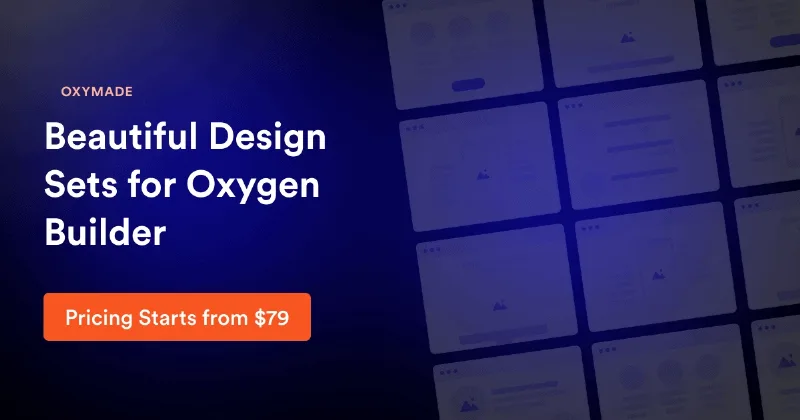
About OxyMade
Your next Oxygen site starts with decisions you already made
You open a new project and, before designing anything, you define text sizes, margins, brand color shades and button styles again. You did it on the last site and the one before. Three pages later, two sections have different spacing and nobody remembers which was right.
What you charge for on a site is the design, but a good share of your hours goes into rebuilding the system beneath it. When those rules do not exist from day one, every page invents them again and the result shows it.
OxyMade is a framework for Oxygen with those rules already decided. It is not a builder. You need Oxygen, and the design judgment remains yours.
Sizes and colors with fixed rules
- Responsive typography: scales with the screen, with presets for H1 to H3 headings, display text, body and small print.
- Spacing: a scale from s1 to s72, where each unit equals 4 px, and section spacing from none to xxl.
- Border radius: from none to full, the same across the site.
The palette generates itself from five brand colors: Primary, Secondary, Tertiary, Accent and Neutral. Three status colors join them: Error, Warning and Success.
Each color has 11 semantic shades and 10 transparency variations. In other words, the soft background of an alert or the border of a card comes from the same family, with no need to pick a different color code each time.
Utility classes and ready-made components
The system is inspired by Tailwind and runs on CSS variables. Its classes cover margins and padding, flexbox and grid, widths and heights, typography, backgrounds, borders and breakpoints.
On that base come styles for cards and containers, badges, form fields, alerts, navigation and menus.
Buttons work through an add-on for the new Oxygen: four types, five colors, three sizes and icon options, across 144 variations of styles, sizes and states.
Blocks and templates, an offering separate from the framework
The framework is the base. Separately, OxyMade maintains Layers, a set of blocks such as headers, footers, hero sections and pricing tables, and a collection of ready-to-use page templates.
They are used from the online library on oxymade.com: you copy the block or page and paste it into the Oxygen editor, with no import process. Those blocks carry FREE or PRO tags, and the templates have their own access, so do not assume they come with the framework when you install it.
Install the base and try it on a test site
It is made for the new Oxygen, and you need that builder on your WordPress site. There are also blocks for Oxygen Classic: if you are still on that edition, check on a test site which parts work for you.
- Install the new Oxygen on a test site.
- Upload the framework to WordPress like any plugin and activate it.
- Build a page with its spacing and typography classes.
- Review the palette with your brand colors.
- Test that page on mobile before taking the system to a real project.
Your Oxygen version decides the rest
Oxygen is the builder you need beneath OxyMade.
OxyExtras solves another problem: it adds 41 components, such as carousels, off-canvas panels, mega menus and a mini cart. It is for classic Oxygen and does not apply to the new Oxygen.
Four notes on using OxyMade
Does it work without Oxygen?
No. Its resources are made specifically for that builder.
Do I install anything to use the classes?
Yes. The framework is uploaded and activated like a WordPress plugin.
How are the templates used?
They are copied from the online library on oxymade.com, which has its own access, and pasted into the Oxygen editor.
Can I change what I paste?
Yes. After pasting a block or template, you customize it in Oxygen.
Version history
-
v
1.6.2 Current 17 May 2024
Customer reviews
Sign in to leave a review. Only people who have the product can review it.
No reviews for this product yet.
Frequently asked questions
-
GPL (General Public License) is the license under which WordPress and most premium plugins/themes are distributed. It grants you the right to use, modify and redistribute the software in as many projects as you want, with no domain restrictions.
-
Yes. With membership you get automatic updates via our GPLClub Updater plugin (installed on your WP, detects new versions and applies them). With individual purchase, you get one year of manual updates from your account.
-
Depends on the plan. Monthly: 3 domains. Semi-annual: 7. Annual and Lifetime: 15. Individual purchase: 1 domain.
-
GPLClub offers its own support for installation, configuration and compatibility. For direct support from the original author (feature requests, product-specific bugs), a license purchased from the author is required.