GetPaid Simple Quantity Discounts
Antivirus scan
Powered by ClamAV
✅ Verified clean
This product file has passed our security filters.
Want to run a fresh ClamAV scan right now? Takes a few seconds and shows scanner version, signature DB and live result.
This can take 5 to 30 seconds.
Clean file Threat detected
No threats detected in this file.
- File
- Size
- Scanned
- ClamAV
- Signature database
⚡ Powered by ClamAV
Scan could not be completed
Report product
If you detected an issue (broken file, malware, inappropriate content, etc.) let us know and we'll review it ASAP.
Sign in to report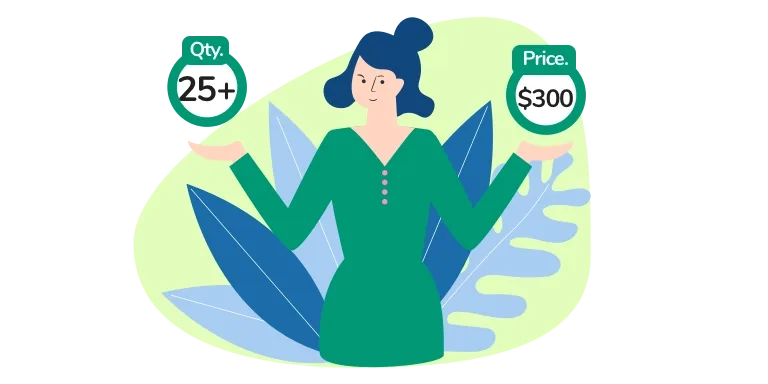
About GetPaid Simple Quantity Discounts
On a tiered scale, ten lessons can cost less than nine
You want to reward people who buy more and you write a scale that seems reasonable. From 1 to 4 lessons, $30 each. From 5 to 9, $25. From 10, $20. With Simple Quantity Discounts that is how you set it up, and it has a consequence worth seeing before you publish: nine lessons add up to $225 and ten add up to $200.
It happens because, on crossing the threshold, the new price applies to all the units in the order. With six lessons, $25 is charged for each, $150 in total. At the first threshold the total still rises: four lessons add up to $120 and five to $125. A discount scale is not reviewed by its unit price, but by the total of each quantity.
It can be a deliberate decision, because it pushes toward the larger order. The problem appears when nobody did the math.
What it adds to your GetPaid items
- Price Variation section: appears on the GetPaid new item screen.
- Prices by quantity: you define how many units trigger each price.
- Live calculation: when the quantity changes, the price updates on the page.
- Shown on the invoice: the variation applied appears on the frontend invoice.
The logic is just one: more quantity, another price.
How the scale is written
The Price Variation by Quantity field takes pairs of quantity and price, separated by commas, with a vertical bar between the two values. Each pair states from which quantity that price applies:
- 1|30: from one unit, $30.
- 5|25: from five units, $25.
- 10|20: from ten units, $20.
All together it reads: 1|30,5|25,10|20. The format fits on one line, which is why it is easy to publish a scale without having tested it.
Check the scale before publishing
Before accepting the price, multiply the last quantity of each tier and the first of the next. If the total drops when moving up a tier, pick one of these ways out:
- Accept it as an incentive to reach the next tier.
- Bring the prices closer so the total keeps rising with each unit.
- Move the threshold to a quantity where the jump is less noticeable.
Run the real test on your site, with the last quantity of one tier and the first of the next, and look at the total charged in each case. That confirms whether the new price reaches the whole order or only the units past the threshold.
Setup and its two exceptions
It needs GetPaid and this add-on installed and active. Without the main plugin there are no settings to configure.
- Create an item and give it the main price.
- Write the scale in Price Variation by Quantity.
- Show the item with the shortcode [getpaid item=1894|0], changing the ID to yours. The 0 lets the customer choose the quantity.
- Test several quantities and review the invoice.
Two limits: the variation does not work with the "Let customers name their price" option, and if you specify a form in the shortcode, the item and quantity values are ignored.
Neighbors in GetPaid and WooCommerce
Within GetPaid, PDF Invoices attaches the PDF invoice to the email, useful if your volume orders end up in accounting. If you sell with WooCommerce, this add-on does not apply: Discount Rules for WooCommerce Pro works with volume and role rules, and you can also look at Tiered Pricing Table for WooCommerce and WPC Price by Quantity.
Answers for getting your scale right
Does the discount apply to all units?
With the scale above, yes: six lessons at $25 add up to $150. Check it with your own.
What format does the field take?
Quantity and price separated by a vertical bar, and each pair separated by commas, such as 1|30,5|25,10|20.
Does the customer see the price change?
Yes. When the quantity changes, the price updates on the page.
Does it work if I let the customer set their price?
No. Variation by quantity does not work with "Let customers name their price".
Can it be used with a shortcode?
Yes, with pairs of ID and quantity. If you choose a form in the shortcode, those pairs are ignored.
Does it work without GetPaid?
No. It is an add-on and requires the main plugin to be active.
Topics
Version history
-
v
2.0.3 Current 8 Jan 2025
Customer reviews
Sign in to leave a review. Only people who have the product can review it.
No reviews for this product yet.
Frequently asked questions
-
GPL (General Public License) is the license under which WordPress and most premium plugins/themes are distributed. It grants you the right to use, modify and redistribute the software in as many projects as you want, with no domain restrictions.
-
Yes. With membership you get automatic updates via our GPLClub Updater plugin (installed on your WP, detects new versions and applies them). With individual purchase, you get one year of manual updates from your account.
-
Depends on the plan. Monthly: 3 domains. Semi-annual: 7. Annual and Lifetime: 15. Individual purchase: 1 domain.
-
GPLClub offers its own support for installation, configuration and compatibility. For direct support from the original author (feature requests, product-specific bugs), a license purchased from the author is required.