Latepoint Reminders Addon
Antivirus scan
Powered by ClamAV
✅ Verified clean
This product file has passed our security filters.
Want to run a fresh ClamAV scan right now? Takes a few seconds and shows scanner version, signature DB and live result.
This can take 5 to 30 seconds.
Clean file Threat detected
No threats detected in this file.
- File
- Size
- Scanned
- ClamAV
- Signature database
⚡ Powered by ClamAV
Scan could not be completed
Report product
If you detected an issue (broken file, malware, inappropriate content, etc.) let us know and we'll review it ASAP.
Sign in to report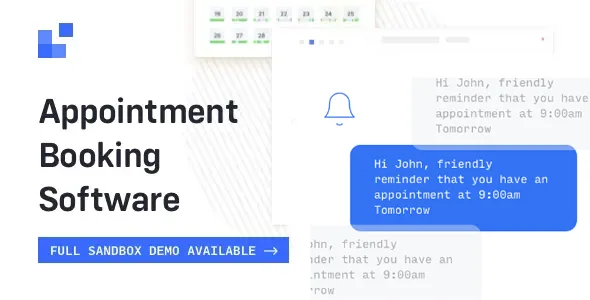
About Latepoint Reminders Addon
The message you need most goes out after the appointment ends
Your client leaves the session happy and says she will book the next one. Weeks go by, she forgets, and so do you. Nobody wrote to her because your notification system only looks at the time before the appointment: confirm, remind, prevent a no-show.
That earlier notice protects the hour you already sold. The later notice is the one that can open the next booking, and it exists only if you set it up. The LatePoint Reminders add-on sends SMS and email reminders before the appointment, after it or at both moments.
Before, after or at both moments
- SMS and email reminders tied to LatePoint appointments.
- Two reference points: the start or the end of the booking, with the Booking Started and Booking Ended events.
- Time offset to send before or after that moment.
- Editable text with an HTML editor for reminders.
- Smart variables to insert data such as the client name, service, date or price.
- Templates to start from, or messages written from scratch.
- Scheduled job log to see reports, find errors, repeat a send or run it early.
Standalone or inside the PRO add-on
Reminders is an add-on and needs LatePoint installed: on its own it takes no bookings. It is also part of the PRO add-on, along with Custom Fields, Locations, Webhooks, Coupons and others that used to be separate.
So if you use PRO, you already have it. And if you come from individual add-ons, turn each one off before installing or using PRO, to avoid conflicts.
Creating the post-appointment notice
Reminders are built as workflows:
- Go to LatePoint, Automation, Workflows, and create a new workflow.
- Choose the Booking Ended event, or Booking Started for an earlier notice.
- Enable Execute actions with a time offset and set how much time should pass.
- Add the action and write the message, or load it from a template.
- Click show smart variables to see the data you can insert.
- Review the sends in Automation, Scheduled Jobs.
If you want to invite clients back, include your booking page address in the text and make a test appointment to see how it arrives.
SMS and WhatsApp arrive by other routes, and the queue needs a push
SMS messages are sent with the Twilio SMS add-on and your own Twilio account: you enter the Account SID and Auth Token, and choose a number as sender or, where your country allows it, a registered name. WhatsApp has its own add-on and only sends templates approved by Meta, from an authorized number.
The reminder queue is checked every five minutes, but that check only happens when someone visits the site. On a quiet site checks get skipped and a notice may go out late. The fix is an external cron job, with a service like EasyCron, that calls the address for processing reminders every hour.
Pieces that work alongside your reminders
Everything starts from LatePoint. If you also need shared resources, group bookings or multiple locations, LatePoint Pro Features brings those features together and includes reminders.
If you work by video call, LatePoint Zoom Meetings creates the meeting for each approved appointment and offers variables to bring the link into your notice emails and SMS. If your calendar runs on another system, BookingPress has its own SMS and WhatsApp add-ons.
When the reminder does not arrive, or arrives late
Can I send a message after the appointment?
Yes. Reminders can go out before, after or at both moments, based on the start or end of the booking.
Why does a reminder go out late on my site?
The queue check depends on visits. With little traffic, set up the external cron.
How do I check that the scheduled job exists?
With the Cron Jobs plugin, look for latepoint_process_scheduled_jobs under Tools and confirm its five-minute interval. If it is missing, deactivate and reactivate LatePoint Pro Features and make sure it is up to date.
Are SMS messages sent without an external account?
SMS messages go out through your Twilio account, with its credentials and sender.
Can I write free text on WhatsApp?
Only templates created beforehand in WhatsApp Manager and approved by Meta.
Topics
Version history
-
v
1.1.0 Current 8 May 2024
Customer reviews
Sign in to leave a review. Only people who have the product can review it.
No reviews for this product yet.
Frequently asked questions
-
GPL (General Public License) is the license under which WordPress and most premium plugins/themes are distributed. It grants you the right to use, modify and redistribute the software in as many projects as you want, with no domain restrictions.
-
Yes. With membership you get automatic updates via our GPLClub Updater plugin (installed on your WP, detects new versions and applies them). With individual purchase, you get one year of manual updates from your account.
-
Depends on the plan. Monthly: 3 domains. Semi-annual: 7. Annual and Lifetime: 15. Individual purchase: 1 domain.
-
GPLClub offers its own support for installation, configuration and compatibility. For direct support from the original author (feature requests, product-specific bugs), a license purchased from the author is required.