The Events Calendar Pro Virtual Events
Antivirus scan
Powered by ClamAV
✅ Verified clean
This product file has passed our security filters.
Want to run a fresh ClamAV scan right now? Takes a few seconds and shows scanner version, signature DB and live result.
This can take 5 to 30 seconds.
Clean file Threat detected
No threats detected in this file.
- File
- Size
- Scanned
- ClamAV
- Signature database
⚡ Powered by ClamAV
Scan could not be completed
Report product
If you detected an issue (broken file, malware, inappropriate content, etc.) let us know and we'll review it ASAP.
Sign in to report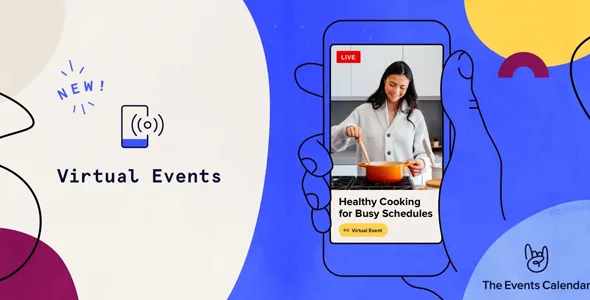
About The Events Calendar Pro Virtual Events
Your access link is worth as much as the ticket
You sell seats for an online workshop, set up the meeting with care and leave the link on the event page. Anyone who opens that page can copy it, and the ticket then grants access to nothing the rest do not already have.
At an in-person event you control a door; at an online one, the door is a web address. So the central decision is when that link appears, for whom and through which channel. The Events Calendar Pro Virtual Events turns those three questions into per-event settings.
It adds virtual and hybrid events to The Events Calendar. Recent versions of Events Calendar Pro already include these features, so a site running one of them does not need this separate piece.
Three settings decide who reaches the meeting
- When it shows: immediately, or hidden until 15 minutes before the start.
- Who it shows to: you can hide the content from anonymous visitors. With Event Tickets, also until the person RSVPs or buys a ticket, by enabling Login Requirement under Events > Settings > Tickets.
- How it is shared: with Event Tickets, the video or link goes by email to whoever answers Going or buys a ticket. If you turn off the display options, it appears only in those emails.
Meetings and video from the event editor
- Zoom: generates meetings from WordPress, plus webinars if your Zoom account supports them. You can change the host and switch between accounts.
- Other services: Webex, Google Meet, YouTube Live and Microsoft Teams, connected from Events Settings > Integrations.
- Embedded video: paste an address into Add Video. It works best with sources WordPress supports, such as YouTube, Facebook videos or Vimeo.
- Linked button: opens the content in another window, and its Watch label can be changed. A generated meeting link offers only this option.
- Labels: identify the event as virtual or hybrid on its page and in the calendar views.
If you accept events from your community, the virtual option appears in that submission, although generating Zoom links stays reserved for admins. You can also attach LearnDash content to an event and show it only to registered people.
Situations worth testing with a real attendee
- Recurring events: the virtual elements appear on every occurrence, but Zoom and Webex create a single meeting, on the date of the first.
- Series Passes: the email does not carry the link for every event in the series.
- Zoom passwords: links sent by email carry it embedded, so anyone forwarding the message shares the access as well. An anonymous visitor gets a link that asks for it.
- After the end: hiding the content once the event has passed takes a small template override in the child theme.
Setup on top of The Events Calendar
With The Events Calendar installed and active, the route is this:
- Connect your account under Events > Settings > Integrations.
- Create the event and click Configure Virtual Event.
- Choose between virtual and hybrid.
- Paste a video or generate the meeting, and decide between embed and button.
- Set when it shows, to whom, and whether it is shared by email.
- Make a test booking and check the email you receive.
Extensions around your calendar
The Events Calendar Pro is the option if you also want its other features. To sell tickets, look at Event Tickets Plus. Filter Bar adds filters to the calendar, and Community Events opens event submission to your community.
If you handle one-to-one video appointments instead of events, LatePoint Zoom Meetings joins bookings and Zoom.
When selling online access
Do I need Event Tickets?
To create the event, no. You do need it to tie the content to a ticket or RSVP and to email it to attendees.
Does it create Zoom webinars?
Yes, when your Zoom account has that capability. If it does not, you can create meetings.
Does it work for an in-person event with a stream?
Yes. That is the hybrid case, with its own label on the event and in the calendar.
Topics
Version history
-
v
1.15.8 Current 8 May 2024
Customer reviews
Sign in to leave a review. Only people who have the product can review it.
No reviews for this product yet.
Frequently asked questions
-
GPL (General Public License) is the license under which WordPress and most premium plugins/themes are distributed. It grants you the right to use, modify and redistribute the software in as many projects as you want, with no domain restrictions.
-
Yes. With membership you get automatic updates via our GPLClub Updater plugin (installed on your WP, detects new versions and applies them). With individual purchase, you get one year of manual updates from your account.
-
Depends on the plan. Monthly: 3 domains. Semi-annual: 7. Annual and Lifetime: 15. Individual purchase: 1 domain.
-
GPLClub offers its own support for installation, configuration and compatibility. For direct support from the original author (feature requests, product-specific bugs), a license purchased from the author is required.