Gravity Forms Color Picker
Antivirus scan
Powered by ClamAV
✅ Verified clean
This product file has passed our security filters.
Want to run a fresh ClamAV scan right now? Takes a few seconds and shows scanner version, signature DB and live result.
This can take 5 to 30 seconds.
Clean file Threat detected
No threats detected in this file.
- File
- Size
- Scanned
- ClamAV
- Signature database
⚡ Powered by ClamAV
Scan could not be completed
Report product
If you detected an issue (broken file, malware, inappropriate content, etc.) let us know and we'll review it ASAP.
Sign in to report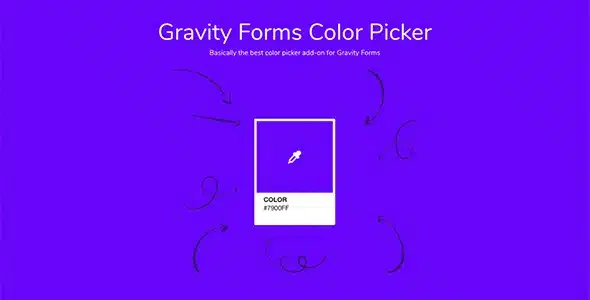
About Gravity Forms Color Picker
"Light blue" is not production data
A customer orders a T-shirt, a mug or a logo and types "light blue" into the form. You read it, pick the shade that seems right, and on delivery it turns out they meant another one. Now you have to write back, send a proof and wait. A word for a color leaves open a question you will have to answer later.
Gravity Forms Color Picker, by JetSloth, closes that question inside the form itself. You can offer only the colors you work with, as swatches, or let the person choose an exact hex value. The answer arrives as a specific color, and you can also view it as a swatch when you review entries.
Swatches, the picker and how they are displayed
- Swatches on radio buttons and checkboxes, through the field's "Use Colors" option.
- A free picker on a single-line text field, or through the "Other" option on radio buttons and checkboxes.
- Six themes: Pantone, Shadow Box, Circle, Horizontal Bar, Compact and Lozenge, with styles already included.
- Three design levels: site-wide, per form or per field.
- Columns per screen on desktop, tablet and mobile, with left, center or right alignment.
- Swatches instead of text in admin entries and email notifications, chosen per field.
Closed palette or free color: decide by what you produce
Closed palette. It fits when you only have certain fabrics, vinyls or finishes. If the customer picks from your swatches, they cannot ask for something you do not have in the workshop.
Free color. It fits when you can truly reproduce any shade, or when the customer already has their brand code. The "Other" option lets you combine both: your palette up front and the picker for anyone who needs a shade outside it.
A hex value describes a screen color. If you produce on fabric or paper, agree with the customer on how it translates to your material. And the Pantone theme is a display style: you define the swatches yourself.
The color beyond the form, and where it stops
The selected color can be applied to other elements on the site. Just add a class to an element: gfcp_bg changes the background, gfcp_color the text, gfcp_border the border and gfcp_fill an SVG element. With several forms or fields on the page, you add their IDs: gfcp_bg_2_3 takes the color from field 3 of form 2. Developers also get the gf-color-picker:picked jQuery event, which delivers the hex value.
JetSloth publishes an example product visualizer: clicking a swatch changes the photo shown above it. It takes as many images as colors, your own CSS and a small script, so it calls for some CSS and jQuery knowledge.
Text fields do not take swatches. A single-line text field only has the free picker. To offer a palette, use radio buttons or checkboxes.
It works inside Gravity Forms. Its swatches live in form fields, not in the variations of a WooCommerce store.
Building your first color field
You need Gravity Forms installed. It works on new forms as well as the ones you already have.
- Install and activate Color Picker.
- Create a radio or checkbox field, or open an existing one, and tick "Use Colors".
- Load your colors and choose a theme in the field settings.
- Decide whether entries and notifications will show swatches or text.
- Submit a test entry and check how the color reaches you.
Related products for forms and stores
To let people choose between photos, Gravity Forms Image Choices, also by JetSloth, adds images to radio buttons and checkboxes and is compatible with Color Picker. If what you need is swatches on the variations of a store, look at Variation Swatches for WooCommerce Pro. The base for all of this is Gravity Forms.
About swatches, codes and entries
Can I limit which colors can be chosen?
Yes. Use radio buttons or checkboxes with your swatches and leave the "Other" option off.
Will I see the color in entries?
You can show swatches instead of text in entries and notifications, and that is set per field.
Does it work alongside Image Choices?
Yes, Color Picker is compatible with JetSloth's Image Choices and Collapsible Sections.
Do I need to code?
Not to use the swatches. The product visualizer does take some CSS and jQuery.
Topics
Version history
-
v
1.4.3 Current 2 Oct 2026
-
v
1.4.0 12 Aug 2026
-
v
1.3.12 27 Oct 2025
Customer reviews
Sign in to leave a review. Only people who have the product can review it.
No reviews for this product yet.
Frequently asked questions
-
GPL (General Public License) is the license under which WordPress and most premium plugins/themes are distributed. It grants you the right to use, modify and redistribute the software in as many projects as you want, with no domain restrictions.
-
Yes. With membership you get automatic updates via our GPLClub Updater plugin (installed on your WP, detects new versions and applies them). With individual purchase, you get one year of manual updates from your account.
-
Depends on the plan. Monthly: 3 domains. Semi-annual: 7. Annual and Lifetime: 15. Individual purchase: 1 domain.
-
GPLClub offers its own support for installation, configuration and compatibility. For direct support from the original author (feature requests, product-specific bugs), a license purchased from the author is required.