EventOn Countdown Addon
Antivirus scan
Powered by ClamAV
✅ Verified clean
This product file has passed our security filters.
Want to run a fresh ClamAV scan right now? Takes a few seconds and shows scanner version, signature DB and live result.
This can take 5 to 30 seconds.
Clean file Threat detected
No threats detected in this file.
- File
- Size
- Scanned
- ClamAV
- Signature database
⚡ Powered by ClamAV
Scan could not be completed
Report product
If you detected an issue (broken file, malware, inappropriate content, etc.) let us know and we'll review it ASAP.
Sign in to report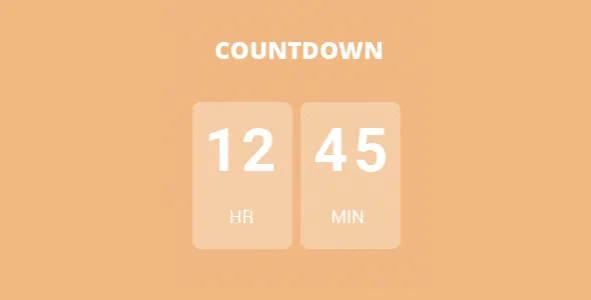
About EventOn Countdown Addon
Decide what happens when the counter hits zero
An events calendar ages on its own. Tuesday's talk is over and still sits there, with its button and open card, and someone arrives on Wednesday, finds it and asks how to sign up. A countdown looks like a decoration for building anticipation, but its most useful part comes afterward, at the moment the numbers run out.
EventON Event Countdown adds a real-time timer to the events on your EventON calendar and makes you answer that question event by event: on reaching zero, does the event stay as it is, disappear, stop opening or go dark?
It is an addon: without the main EventON plugin it does nothing. It does not create events either: it works on those already on your calendar.
The timer and its per-event settings
- In EventTop: the counter is built into the event's strip in the listing, also in a compact layout.
- In EventCard: optionally, with several timer styles.
- Text next to the timer: your own line, as an invitation or a notice.
- Text at the end: what is shown when time runs out.
- Reference: you choose whether it counts toward the start or the end of the event.
- Margin in minutes: subtracted from the expiration time.
The endings an event can have
- Do Nothing: the event stays as it is. Useful if you want to keep it visible for reference.
- Hide Event: removes it from view, for those who only want to show what can still be attended.
- Make Event Unclickable: it stays on the calendar, but can no longer be opened.
- Blackout Event: darkens the event when the counter ends.
- Set as Sold Out: marks it as sold out. This option needs the Tickets addon.
The margin in minutes is what turns this into an organizing tool. If you need to close the door before the start, count toward the start and subtract the minutes you want. The counter then ends before the event and the chosen action applies at that moment. Check the result on a test event before using it on a real one.
What to check on your calendar
Popups. The real-time counter does not work on events set to open in a popup. It works on an event in the calendar or on the event's single page. If your calendar opens events in a popup, test it before publishing.
Calendars with no counter. The timer is turned on event by event, and the calendar shortcode can hide it: [add_eventon hide_countdown="yes"]. This is useful if you place the same event in an archive or a secondary calendar.
Compatible views. It integrates with the layouts of the FullCal, DailyView and WeeklyView addons.
Its features do not include email reminders: the counter is seen on your site, and only by whoever visits.
Turning it on for your first event
Install and update EventON, then install and activate the addon. It will appear in the EventON side menu and as a tab under EventON, Countdown. Your site must meet EventON's basic requirements. Then:
- Go to Events and edit the event.
- In the sidebar, turn on Show Countdown Timer.
- Write the text next to the timer and the expiration text.
- Choose what to do at the end and whether it counts toward the start or the end.
- Add the margin in minutes if you need it.
Pieces that work alongside this counter
Everything starts from EventON, the calendar this addon needs. If you sell seats, EventON Event Tickets adds ticket sales with WooCommerce and enables the sold-out ending. For a program with activity almost daily, EventON Weekly View adds a weekly grid where the counter also fits.
If your deadline belongs to a campaign or a product rather than an event, HurryTimer offers evergreen, recurring and fixed-deadline campaigns, and shows timers on WooCommerce products.
Answers about the counter
Can I count to the end of the event rather than the start?
Yes, each event lets you choose the start or the end as the reference.
Do I need Tickets to use it?
Only for the mark-as-sold-out action. The rest works with EventON and this addon.
What does the visitor see when it ends?
The expiration text you wrote, along with the action chosen for that event.
Topics
Version history
-
v
1.2 Current 8 Jan 2025
Customer reviews
Sign in to leave a review. Only people who have the product can review it.
No reviews for this product yet.
Frequently asked questions
-
GPL (General Public License) is the license under which WordPress and most premium plugins/themes are distributed. It grants you the right to use, modify and redistribute the software in as many projects as you want, with no domain restrictions.
-
Yes. With membership you get automatic updates via our GPLClub Updater plugin (installed on your WP, detects new versions and applies them). With individual purchase, you get one year of manual updates from your account.
-
Depends on the plan. Monthly: 3 domains. Semi-annual: 7. Annual and Lifetime: 15. Individual purchase: 1 domain.
-
GPLClub offers its own support for installation, configuration and compatibility. For direct support from the original author (feature requests, product-specific bugs), a license purchased from the author is required.